
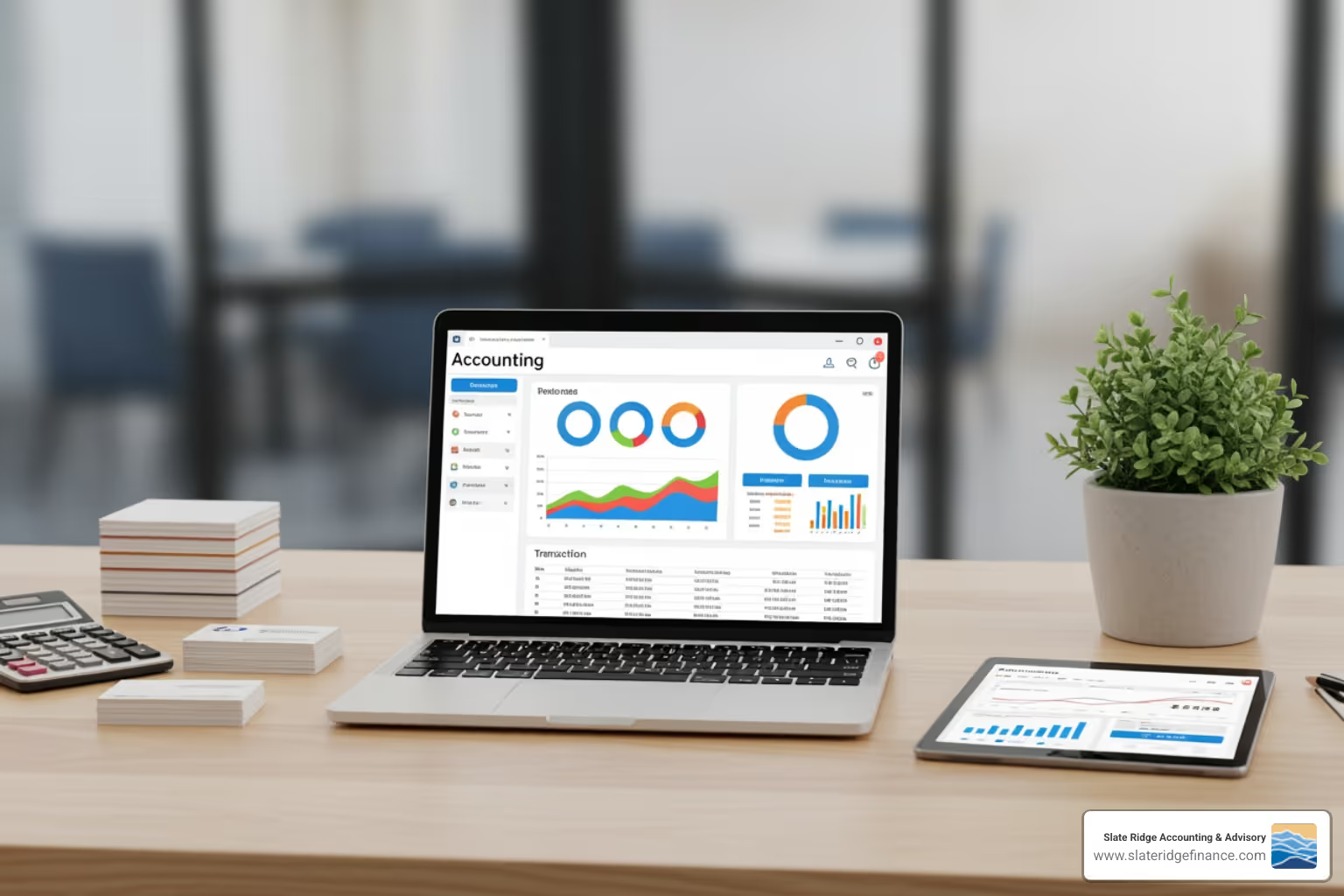
Why a Solid Accounting System is Your Business's Backbone
Accounting systems for small businesses are the foundation that turns financial chaos into clarity. When you find the right system, everything clicks--tracking revenue becomes routine, managing expenses gets easier, and tax time loses its terror.
Quick Answer: What You Need to Know
An accounting system for your small business includes:
- A dedicated business bank account - Keeps personal and business finances separate
- An accounting method - Cash basis (simple) or accrual basis (more accurate)
- Accounting software - Automates tracking, invoicing, reporting, and compliance
- Key features - Income/expense tracking, invoicing, bank reconciliation, financial reports, receipt capture
- Optional professional support - An accountant provides strategic advice and compliance guidance
Over 350,000 small businesses have simplified their financial management with modern accounting systems. As one window cleaning business owner put it, they use their system to "send a professional invoice and estimate in minutes."
The reality is simple: Financial bookkeeping is complicated and time-consuming when done manually. Business owners struggle to track incoming revenue, answer questions about profitability, and know if they have enough money for tax payments or new equipment investments.
The right accounting system changes all that. It gives you information that helps answer critical questions about your business's profitability, cash flow, and investment potential. Once set up with your financial data, customers, vendors, and products, it lets you create transactions, invoice customers, pay bills, and track payments--all while providing instant search tools and customizable reports to monitor performance.
Whether you're a freelancer, solopreneur, or growing small business with a team, choosing and implementing the right accounting system is one of the most important decisions you'll make for your business's financial health.
Accounting systems for small businesses helpful reading:
The 3 Essential Steps to Setting Up Your Accounting System
Setting up an effective accounting system for small businesses doesn't have to be a daunting task. In fact, we believe there are three basic, essential steps to help you get started. The aim here is to keep everything simple and accurate from the get-go, ensuring your financial records are always in tip-top shape. Think of it as laying a robust foundation for your business's future financial health. For more detailed insights into maintaining sound financial practices, explore our Accounting Best Practices Small Business Guide.

Step 1: Open a Dedicated Business Bank Account
This might sound obvious, but it's a step many small business owners overlook or delay. Opening a dedicated business bank account is paramount for several reasons. Firstly, it establishes professionalism, clearly separating your personal finances from your business's. This separation is crucial for legal and tax purposes, making it far easier to track income and expenses. Imagine the headache of sifting through personal grocery receipts mixed with business supply costs at tax time - no thank you! A dedicated account simplifies bookkeeping, reduces the chance of errors, and provides a clear financial picture of your business's performance. It's the first, simplest, and arguably most important step to a well-organized accounting system for small businesses.
Step 2: Choose Your Accounting Method: Cash vs. Accrual
Next, you'll need to decide which accounting method best suits your business: cash or accrual. This choice impacts how and when you record financial transactions.
Cash Basis Accounting: This method is simpler and often preferred by very small businesses or those just starting out. Under cash basis accounting, income is recorded only when you actually receive the cash, and expenses are recorded only when you actually pay them. It's straightforward and reflects your bank balance directly. However, it might not provide the most accurate picture of your business's financial health over time, as it doesn't account for money owed to you (accounts receivable) or money you owe others (accounts payable).
Accrual Basis Accounting: This method is generally considered more complex but offers a more accurate view of your business's financial performance. Under accrual basis accounting, income is recorded when it's earned, regardless of when the cash is received. Similarly, expenses are recorded when they're incurred, regardless of when they're paid. This means you recognize revenue when you send an invoice, not when the client pays, and expenses when you receive a bill, not when you pay it. Accrual accounting aligns revenue with expenses, which is crucial for understanding profitability and is typically required by the IRS for businesses that hold inventory or exceed certain revenue thresholds.
For many small businesses, especially those with inventory or significant accounts receivable/payable, accrual accounting provides better insights for decision-making and growth. However, if your business is very small and transactions are simple, cash basis might suffice, at least initially. We recommend consulting with a financial expert to determine which method is best for your specific business in North Carolina.
Step 3: Select Your Core Accounting Software
Once your business bank account is set up and you've chosen your accounting method, the next crucial step is to select the right accounting software. This software will be the heart of your accounting system for small businesses, automating many tasks and providing valuable insights.
Today, most small businesses opt for cloud-based accounting software, which offers flexibility and accessibility from anywhere with an internet connection. This is particularly beneficial for businesses in our service areas like Asheville, Charlotte, or Raleigh, allowing you to manage your finances on the go or collaborate seamlessly with remote teams. For a deeper dive into these modern solutions, check out our Cloud Accounting Services Guide.
When choosing software, think about scalability - can it grow with your business? Also, consider its core features, such as the ability to handle e-invoicing and manage payments. We'll explore key features in more detail below, but for now, understand that selecting the right software is about finding a tool that makes your financial life simpler and more accurate.
How to Choose the Best Accounting System for Your Small Business
Choosing the best accounting system for small businesses is a bit like finding the perfect pair of shoes: it needs to fit your specific needs, be comfortable, and help you go places. There's no one-size-fits-all solution, so a thorough business needs analysis is essential. You'll want to consider factors like affordability, ease of use, and whether the system can scale as your business grows. For a comprehensive overview, our Best Accounting Systems for Small Business Guide offers invaluable insights.
Key Features to Look For in Accounting Systems for Small Businesses
A robust accounting system for small businesses should offer a suite of features designed to simplify your financial management. Here's a list of essential functionalities we recommend looking for:
- Income and Expense Tracking: This is foundational. The software should allow you to easily record all money coming in and going out, often with automated categorization.
- Invoicing and Payments: The ability to create professional invoices, send them to clients, and track their payment status is crucial. Many systems also facilitate online payments, making it easier for your clients to pay you.
- Bank Reconciliation: This feature helps you match your bank statements with your recorded transactions, ensuring accuracy and catching any discrepancies.
- Financial Reporting: Look for software that can generate key financial statements like Profit and Loss (Income Statement), Balance Sheets, and Cash Flow Statements. These reports are vital for understanding your business's health.
- Receipt Capture: The ability to snap photos of receipts with your smartphone and upload them directly to your system saves time and keeps you organized for tax purposes. Some even use Optical Character Recognition (OCR) to extract data automatically.
- Multi-User Access: If you work with a bookkeeper, accountant, or team members, the system should allow multiple users with varying access levels.
- Mobile App: For managing finances on the go, a user-friendly mobile app is a game-changer, allowing you to create invoices, track expenses, and view dashboards from anywhere, whether you're in Boone or Wilmington.
- Accounts Payable and Accounts Receivable: The system should help you track who owes you money (AR) and who you owe money to (AP), essential for cash flow management.
- Automate Basic Accounting Tasks: From recurring invoices to automatic bank feeds, automation reduces manual data entry and minimizes errors.
- Sales and Sales Tax Tracking: If your business collects sales tax, the software should simplify its calculation and reporting.
For more on how online solutions can transform your financial operations, explore our guide on Online Accounting Software for Small Business.
Free vs. Paid Software: A Cost-Benefit Analysis
When considering an accounting system for small businesses, one of the first questions is often about cost. Is free software sufficient, or is a paid option a better investment? The price of accounting software varies widely, ranging from $0 per month to hundreds, depending on the provider and features.
Free Software Pros:
- Cost-Saving: The most obvious benefit is no monthly subscription fee. This can be a huge relief for micro-businesses or solopreneurs just starting out in places like Hickory or Morganton.
- Basic Features: Many free versions offer essential functionalities like invoicing, expense tracking, and basic reporting. For example, some allow unlimited invoices and estimates, and some free versions support multiple bank accounts and offer expense tracking.
- Simplicity: Free options are often designed to be user-friendly, making them accessible to those without extensive accounting knowledge.
Free Software Cons:
- Feature Limitations: Free versions often lack advanced features such as comprehensive financial reporting, payroll integration, advanced inventory management, or multi-currency support. For instance, some free versions might not import bank transactions directly, requiring manual entry.
- Limited Support: Customer support for free users can be minimal, often relying on community forums or self-help articles.
- Scalability Issues: As your business grows, you might quickly outgrow a free system, necessitating a switch to a paid plan or a different provider, which can be disruptive.
- Data Security: While many reputable free options exist, it's always crucial to verify the security measures of any free service handling your financial data.
Paid Software Benefits:
- Comprehensive Features: Paid plans open up a wider array of tools, including advanced analytics, robust reporting, project management, time tracking, and deeper integrations.
- Dedicated Support: Paid subscriptions typically come with access to customer support via phone, email, or chat, which can be invaluable when you encounter issues.
- Scalability: Paid software is designed to grow with your business, offering different tiers with increasing capabilities.
- Advanced Integrations: Seamlessly connect with other business tools like CRM, payment processors, and payroll services.
- Improved Security: Reputable paid providers invest heavily in data security, offering peace of mind.
The choice between free and paid depends on your business's current size, complexity, and growth trajectory. Some accounting services offer their most basic plan for $0 per month with the option to pay for add-ons, which can be a good starting point. Evaluate your needs carefully before committing.
Evaluating Different Types of Accounting Systems for Small Businesses
Beyond the free vs. paid debate, the landscape of accounting systems for small businesses is diverse. Evaluating them means considering more than just a list of features; it's about finding the best fit for your unique operations.
- Industry-Specific Needs: Does your business have unique accounting requirements? For example, a service-based business in Charlotte might prioritize time tracking and project billing, while a retail business in Greensboro would need robust inventory management. Look for systems that cater to your industry or are highly customizable.
- Integration Capabilities: Your accounting software shouldn't operate in a silo. Consider how well it integrates with other tools you use, such as payment processors (e.g., Square, PayPal), payroll services, CRM systems, or e-commerce platforms. Seamless integration reduces manual data entry and streamlines workflows.
- User Interface (UI) and User Experience (UX): An intuitive and easy-to-steer interface is critical, especially if you're not an accounting expert. A clunky or confusing system can lead to frustration and errors. Many modern systems strive for simplicity, making financial management less intimidating.
- Customer Reviews and Ratings: While not the sole determinant, aggregate customer reviews can provide valuable insights into a system's reliability, ease of use, and customer support quality. Look for patterns in feedback rather than isolated comments.
At Slate Ridge Accounting & Advisory, we understand that every business in North Carolina is unique. That's why we focus on providing Personalized Financial Solutions that align with your specific goals and operational nuances.
Opening up Your Business Potential with Accounting Software
The right accounting system for small businesses is more than just a record-keeping tool; it's a strategic asset that can open up significant business potential. By embracing automation, you can save valuable time and gain data-driven insights that fuel growth. For strategies on expanding your enterprise, dig into our Business Growth Strategies.
Streamline Daily Operations
Imagine a world where your daily financial tasks practically manage themselves. That's the power of modern accounting software within your accounting system for small businesses.
- Invoice Management: From creating professional invoices in minutes to sending them automatically and tracking their status, software makes sure you get paid faster. You can even set up recurring invoices for regular clients.
- Expense Tracking: Say goodbye to stacks of paper receipts. Accounting software allows you to snap photos of receipts with your phone, categorize expenses on the go, and link them to bank transactions. This not only keeps your records tidy but also ensures you capture every deductible expense.
- Accounts Payable and Accounts Receivable: Managing who you owe and who owes you is crucial for cash flow. The software provides clear dashboards showing outstanding bills and unpaid invoices, allowing you to prioritize payments and follow up on receivables efficiently. For expert advice on managing these critical aspects, refer to our Tips for Managing Small Business Accounts Receivable and Payable.
- Bank Connections: Connecting your business bank accounts and credit cards to your accounting software is a game-changer. Transactions are automatically imported, categorized (often with AI assistance), and ready for reconciliation. This eliminates manual data entry and provides a real-time view of your cash flow. If you're curious about the mechanics, you can learn more about how bank connections work. While bank security measures can sometimes complicate direct imports, the benefits of automated transaction management far outweigh the occasional troubleshooting.
These streamlined operations mean less time buried in spreadsheets and more time focused on what you do best: running your business.
Simplify Tax Preparation and Compliance
Tax season can be a headache, but a well-implemented accounting system for small businesses can turn it into a manageable process. Accounting software significantly simplifies tax preparation and ensures compliance.
- Tax Reporting: The software can generate various reports crucial for tax filing, including Profit and Loss statements, expense summaries, and sales tax reports. This means less scrambling to gather documents at year-end.
- Sales Tax Calculation: If your business collects sales tax, many accounting software solutions offer automated sales tax calculation based on your location (e.g., North Carolina's specific rates) and product types. This drastically reduces the risk of errors and ensures you're collecting and remitting the correct amounts.
- Deductible Expenses: By carefully tracking and categorizing all your expenses throughout the year, the software helps ensure you don't miss out on any legitimate deductions, potentially saving you money.
- 1099 Management: If you work with independent contractors, some accounting systems can help manage W-9 forms and generate 1099s, simplifying compliance for contractor payments.
- Year-End Reports: Standard financial reports are not just for your own insights; they are often required for securing loans or attracting investors. Your accounting software can produce these reports with a few clicks.
By keeping your books organized and up-to-date year-round, you'll approach tax season with confidence, rather than a pile of receipts and a sense of dread. For assistance with these critical services, consider our Accounting and Payroll Services for Small Business.
Accept the Future with AI-Powered Features
The future of accounting systems for small businesses is here, and it's powered by artificial intelligence (AI). AI-powered features are changing how small businesses manage their finances, offering unprecedented levels of automation and insight.
- AI Automation: Imagine your software learning your business's unique transaction patterns. AI agents can automate data entry by categorizing transactions from bank feeds, extracting information from uploaded bank statements, and even reconciling your books monthly. This frees up countless hours you'd otherwise spend on manual tasks.
- Anomaly Detection: AI can act as a vigilant financial watchdog, flagging unusual transactions or potential inconsistencies for your review. This helps in identifying errors, preventing fraud, and maintaining data accuracy.
- Cash Flow Forecasting: Predictive insights are no longer just for large corporations. AI can analyze your past financial data to forecast your cash flow 90 days or even further into the future. This allows you to anticipate financial needs, plan investments, and make proactive strategic decisions. For a deeper dive into predicting your financial future, explore our Business Financial Forecasting.
- Predictive Insights: Beyond forecasting, AI agents can make custom recommendations, suggesting payment strategies to accelerate collections, identifying new leads from your email inbox, and even drafting personalized follow-up messages. These insights provide a better view of your business's financial health, with some studies showing that over 70% of customers find AI assistance beneficial for this purpose.
While you remain the final decision-maker, AI in accounting software acts as an intelligent assistant, handling the heavy lifting and providing the data you need to make smarter, faster decisions for your business's growth in North Carolina.
The Indispensable Role of an Accountant in the Digital Age
Even with the most sophisticated accounting system for small businesses at your fingertips, the role of a human accountant remains indispensable. Software is an incredible tool for managing daily tasks, but it doesn't replace the strategic advice, human expertise, and big-picture guidance that a professional accountant provides. To understand the different types of support available, refer to our insights on What Type of Accountant is Best for a Small Business.
Software Manages, Accountants Advise
Think of it this way: your accounting software handles the "what" - what transactions occurred, what your current cash balance is, what invoices are due. Your accountant, however, focuses on the "why" and the "how" - why is profitability down this quarter? How can we optimize our tax strategy?
Accounting software excels at daily tasks like bank reconciliations, managing cash flow, and generating reports. But it won't replace your accountant's advice on your specific business needs and strategy. An accountant can interpret those reports, identify trends, provide tax planning, and offer invaluable insights into process optimization. They help you understand the story behind the numbers, guiding you toward better financial health and growth. For insights into improving your financial workflows, see our article on Financial Process Optimization.
If you needed an accountant initially, you'll still need one. The software streamlines the data, allowing your accountant to spend less time on data entry and more time on high-value advisory services.
A Partnership for Success
The ideal scenario for any small business is a powerful partnership between a robust accounting system for small businesses and the expertise of a dedicated accountant. This collaboration ensures that your financial data is accurate, up-to-date, and leveraged for strategic decision-making.
Your accountant can help you set up your accounting system correctly from the start, ensuring proper categorization and compliance. They can guide you through complex financial situations, assist with growth planning, and ensure you're maximizing the Return on Investment (ROI) from your chosen software. With an accountant overseeing your financial strategy, you can confidently steer challenges and seize opportunities. For comprehensive guidance, our Expert Financial Advice is invaluable.
This synergy means you get the best of both worlds: the efficiency and automation of technology combined with the wisdom and strategic foresight of a human expert.
Frequently Asked Questions About Small Business Accounting Systems
Can I do my own bookkeeping without any software?
Yes, it is possible to do bookkeeping without any software, relying on manual methods like ledgers or spreadsheets. However, we strongly advise against it for most small businesses. Manual bookkeeping is highly prone to errors, incredibly time-consuming, and lacks the scalability needed as your business grows. You're far more likely to make a mistake if you're not an accounting expert, and correcting those mistakes can be a nightmare. Furthermore, generating comprehensive financial reports or preparing for taxes becomes a monumental task without the automation and organization that software provides.
How much does accounting software typically cost?
The cost of accounting systems for small businesses varies significantly based on the features, provider, and level of support. You can find options ranging from:
- Free Plans: Some providers offer basic versions that are free forever, often suitable for micro-businesses or solopreneurs with simple needs, primarily covering invoicing and basic expense tracking.
- Starter Plans: Entry-level paid plans typically range from $15-$40 per month. These usually include core features like income/expense tracking, invoicing, and basic reporting for one or a few users.
- Advanced Tiers: More comprehensive plans, offering features like payroll integration, advanced inventory, project management, and multi-currency support, can range from $50 to several hundred dollars per month.
- Add-on Features: Many providers offer optional add-ons (e.g., payroll processing, payment processing, additional users) that increase the monthly cost.
It's essential to evaluate what features you truly need and choose a plan that offers the best value for your specific business stage.
Which accounting software is the easiest to use?
The "easiest" accounting software often depends on your comfort level with technology and your accounting knowledge. Generally, the easiest accounting systems for small businesses share common characteristics:
- Intuitive User Interface: A clean, well-organized dashboard with clear navigation.
- Minimal Accounting Jargon: Designed for business owners, not just accountants, using plain language.
- Guided Setup: Step-by-step instructions for getting started and importing initial data.
- Mobile Accessibility: User-friendly mobile apps that allow for on-the-go management.
- Quality Customer Support: Easy access to help through chat, email, or phone when you get stuck.
Software designed specifically for service-based businesses or solo entrepreneurs often prioritize ease of use. Many providers offer free trials, which we highly recommend taking advantage of to test out the user experience before making a commitment.
Conclusion: Build Your Financial Foundation for Growth
Establishing a robust accounting system for small businesses is not just about compliance; it's about empowerment. By following the essential steps--setting up a dedicated business bank account, choosing the right accounting method, and selecting appropriate software--you lay a strong financial foundation. The right software, with its ability to streamline operations, simplify taxes, and harness AI-powered insights, becomes an invaluable asset.
While technology handles the numbers, the strategic mind of an accountant provides the guidance and insights to truly propel your business forward. This partnership--software for management, accountants for advice--is the ultimate formula for financial clarity and sustainable growth.
Don't let financial complexities hold your business back. Take control of your finances today and set your business on a path to success.
Ready to get started?
Book a free consultation today and let’s explore how Slate Ridge can support your business with expert accounting that’s accurate, timely, and built around your goals.
You Might Also Like
A few more posts we think you’ll enjoy on topics that matter to business owners like you.