
Why the Right Accounting Software is Crucial for Your Small Business
Managing your money smartly is key to any small business's success. Finding the best accounting systems for small businesses can feel overwhelming, but it doesn't have to be. The right software saves you time, reduces stress, and keeps your finances clear.
For small businesses, these are widely considered top choices:
- QuickBooks Online: Great all-around, especially for growing businesses.
- Xero: Excellent for team collaboration and integrating with other apps.
- FreshBooks: Best for service-based businesses, invoicing, and freelancers.
- Sage Accounting: Strong for inventory management and offers desktop options.
- Wave: A fantastic free option for basic needs, startups, and freelancers.
In the US, managing your finances means more than just tracking sales. You need to handle things like sales tax, payroll deductions for the IRS, and state-specific reporting. Manual methods can lead to errors and headaches, especially during tax season. Good accounting software simplifies all this. It helps you keep accurate records, understand your cash flow, and make smart decisions for your business's future.
Key Features to Look for in Small Business Accounting Software
Choosing the ideal accounting software for your small business is a big step. It’s about finding a system that does more than just crunch numbers; it should be a true financial partner! You want something that makes your life easier, keeps you compliant, and helps you see where your money is going. So, let’s dive into what really matters when you’re looking for the best accounting systems for small businesses.
First things first, any good accounting software needs to handle the basics flawlessly. This includes efficient invoicing to make sure you get paid on time, careful expense tracking so you know where every dollar goes, and seamless bank reconciliation to match your records with your bank statements. These are the core functions that build a strong financial foundation for your business. They help you stay on top of things, which is super important for understanding your financial health, as we explain in our Small Business Financial Reporting Complete Guide.
Now, let's talk about what makes software truly US-friendly. Generic solutions often miss the mark here! For businesses like yours, specific features are a must. Your software needs to accurately calculate and track sales tax, which can vary significantly by state and even city. This ensures you're always squared away with tax regulations. Plus, managing payroll in the US comes with its own set of rules, like deductions for Social Security, Medicare, and federal/state income tax. The right software should automate these calculations, handle remittances to the IRS and state agencies, and even help generate important forms like W-2s. If you’re looking for more help, check out our Payroll Management Services.
Your business isn't standing still, and your accounting software shouldn't either. Look for a system with excellent scalability. This means it can grow with you, offering different plans and extra tools as your needs change. You don't want the headache and cost of switching systems down the road just because your business got bigger! It’s also smart to consider industry-specific features. While all businesses need to track money, a retail shop might need strong inventory tools, while a service business might need detailed time tracking and project costing. Choosing software that caters to your unique industry can make a huge difference.
Modern software also brings amazing tools like AI capabilities and automation to the table. Imagine your software automatically reading receipts and categorizing transactions for you – that’s AI at work, saving you tons of time! It can also help forecast your cash flow, giving you a clearer picture of the future, and even flag unusual transactions that might indicate fraud. These smart features make accounting faster and give you deeper insights, making your financial management much easier.
Finally, in our busy world, being able to manage your finances on the go is essential. That's where cloud accounting services shine. They let you access your financial data anytime, anywhere, from any device with an internet connection. Everything updates in real-time, giving you an accurate, up-to-the-minute view of your business's health. Plus, cloud providers handle all the automatic updates and backups, so your data is always safe and secure. It also makes it super easy to collaborate with your team, bookkeepers, and accountants. This flexibility and efficiency are why we're big fans of Cloud Accounting Services. And don’t forget mobile app access! A good mobile app lets you send invoices, track expenses by snapping photos of receipts, and monitor your cash flow right from your phone or tablet.
By keeping these key features in mind, you can confidently pick a system that doesn't just manage your daily finances, but truly empowers your small business for lasting success.
The Top 5 Best Accounting Systems for Small Businesses

Choosing accounting software is one of those decisions that can genuinely change how you run your business. It's not just about tracking numbers—it's about finding a tool that actually fits your day-to-day reality, your budget, and where you're headed. This section reviews top solutions based on common business needs, helping you find the perfect fit.
Best All-Around Solution for Growing Businesses
QuickBooks Online has earned its reputation as one of the best accounting systems for small businesses in the US, and for good reason. If you're growing and need something that can keep up, this is often the solution we recommend first.
What makes QuickBooks Online shine is its comprehensive feature set. You get everything from invoicing and expense tracking to bank reconciliation and detailed financial reporting, all in one place. The real strength here is scalability—the software offers different plans that grow with you, whether you're working solo or managing a team of twenty.
The integration marketplace is where QuickBooks Online really pulls ahead. With over 750 third-party apps, you can connect it to payment processors, CRM systems, inventory tools, and more. This makes it a central hub for your financial data. Intuit also provides robust support and educational resources through programs like the Intuit Education Program, which helps you get the most value from the software.
What we love: The interface is genuinely user-friendly, even for people who get nervous around numbers. The reporting capabilities are excellent for tax tracking and business insights. The mobile app works well, and most accountants know it inside out, making collaboration smooth. Many users save nearly 30 hours per month once they're set up.
What to consider: It's pricier than some alternatives, especially when you add payroll or upgrade to higher tiers. Some people find the number of features overwhelming at first, though that usually passes once you get comfortable.
Best for Collaboration and App Integrations
Xero is the software we often suggest when teams need to work together seamlessly. This cloud-based system has become hugely popular in the US because it offers unlimited users on all its plans—a game-changer if you're working with bookkeepers, accountants, or multiple team members.
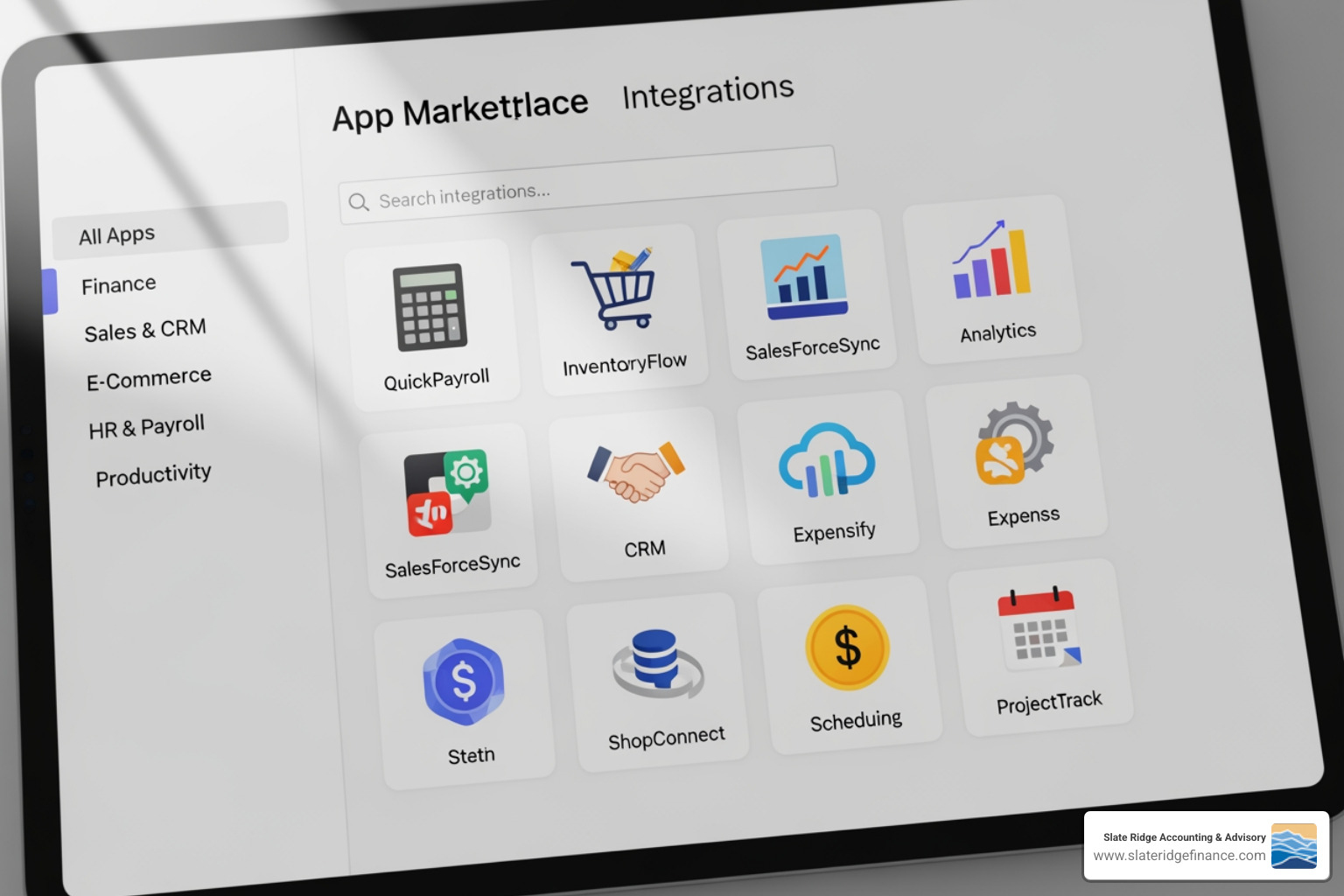
Xero handles US tax compliance well, with built-in features for sales tax calculations across different states. But where it truly excels is in its integration ecosystem. With over 1,000 certified apps, you can connect Xero to almost anything—payment gateways like Stripe, e-commerce platforms like Shopify, or specialized industry tools. The data flows between systems automatically, saving you from endless manual entry.
What we love: The collaboration features are top-notch. The interface feels modern and intuitive. The mobile app is solid. Features like "pay now" buttons on invoices make it easier to actually get paid. It's highly customizable through those app integrations.
What to consider: The basic plan limits the number of invoices and bills you can send, so growing businesses might need to upgrade fairly quickly.
What are the best accounting systems for small businesses that are service-based?
FreshBooks was originally created for freelancers and service-based businesses, and it shows—this software understands their needs. If you're a freelancer, consultant, contractor, or anyone who bills clients for time, FreshBooks is designed specifically for you.
The focus here is on invoicing, time tracking, and project management. Creating professional invoices is incredibly easy, and the time-tracking features work beautifully for billable hours. The client portal features let your customers view invoices, pay online, and communicate with you directly, which keeps everything organized in one place.
FreshBooks is genuinely intuitive for non-accountants. You don't need a finance degree to use it effectively, which is exactly what many service professionals need.
What we love: The learning curve is minimal. The invoicing and time-tracking are excellent. The mobile app makes expense tracking easy—just snap a photo of your receipt. Client management tools are strong, helping you stay on top of relationships and outstanding payments.
What to consider: It's less robust for inventory-heavy businesses or those selling lots of products. The cheapest plan limits the number of active clients you can bill, so you might need to upgrade as you grow.
What are the best accounting systems for small businesses with complex inventory?
Sage Accounting, a long-standing name in business finance, brings serious power for businesses with more complex needs. If you're in retail, manufacturing, or distribution, this software offers the depth you need.
The inventory management features are robust, with capabilities for job costing, multi-currency support, and comprehensive financial tracking. Sage 50cloud, their hybrid version, combines a desktop application with cloud access—a unique approach that works well if you have unreliable internet but still want cloud benefits. Some editions incorporate AI features that automate data entry and provide real-time financial insights.
What we love: The inventory tracking is powerful and detailed. Financial management features are comprehensive. US tax features are built right in. It's a good fit if you need desktop reliability with some cloud flexibility.
What to consider: The learning curve is steeper than simpler cloud-only options. Pricing can be higher for advanced versions. The interface feels less modern compared to newer alternatives, though it's functional.
Best Free Option for Startups and Freelancers
Wave is a company offering something remarkable—truly free accounting and invoicing for small businesses. If you're just starting out or keeping things lean, Wave lets you manage finances without a monthly subscription.
The core features are completely free: unlimited invoicing, income and expense tracking, and basic financial reports. Wave makes money through its payment processing and payroll services, which you can use on a pay-per-use basis. You only pay when customers pay invoices through Wave or when you run payroll.
What we love: Free is hard to beat, especially when it includes unlimited invoicing. The interface is user-friendly. The mobile app handles basic expense tracking well. It's perfect when budgets are tight.
What to consider: Advanced features and reporting are limited compared to paid software. Customer support is less comprehensive—there's no dedicated phone support. Payroll services cost extra. It might not scale well if you're growing quickly and need more sophisticated tools.
Each of these systems represents the best accounting systems for small businesses in different scenarios. The right choice depends on your specific situation—your industry, team size, budget, and growth plans. The good news is that all five are solid options used successfully by thousands of US businesses every day.
Cloud vs. Desktop: What's Right for Your Business?
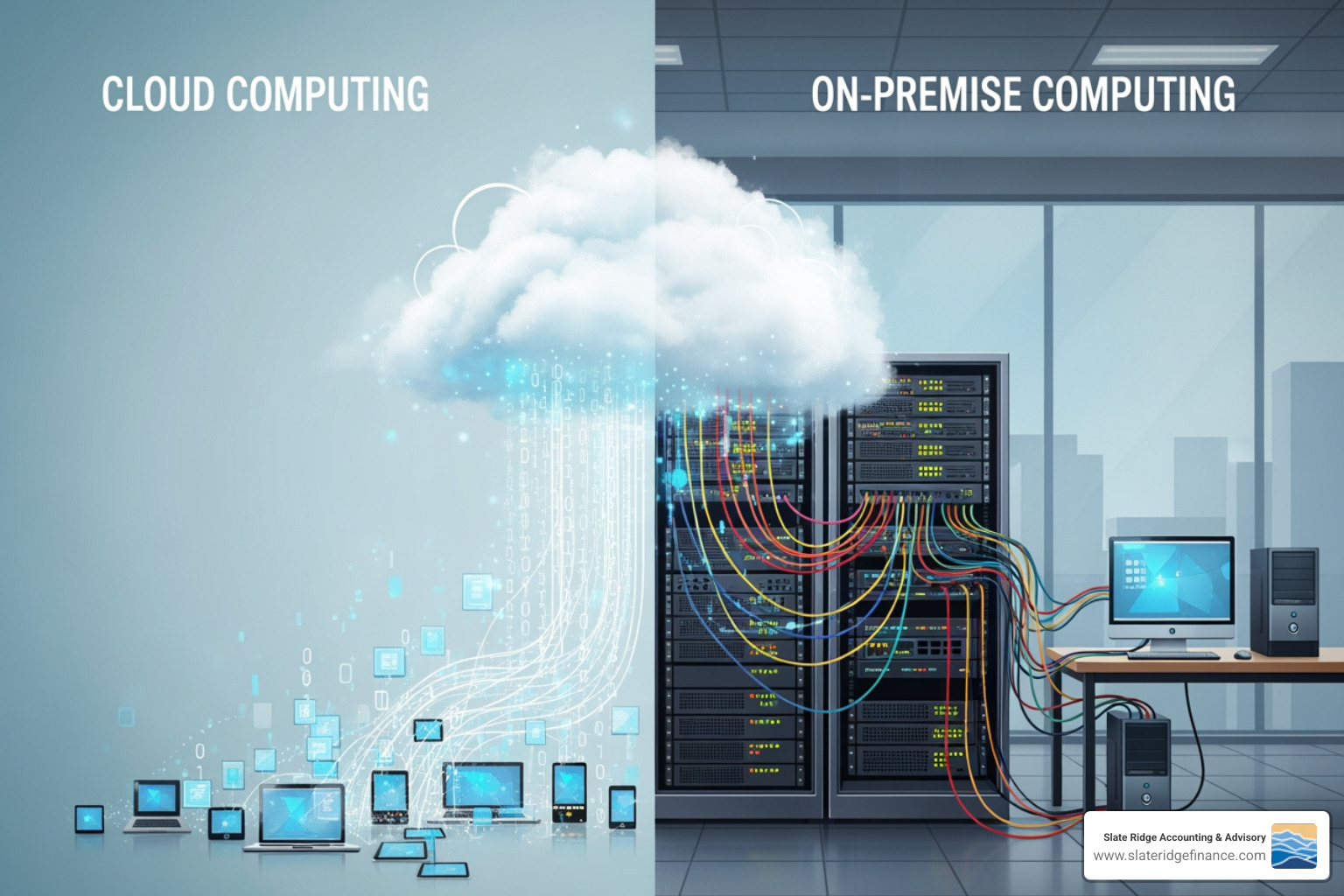
When you're searching for the best accounting systems for small businesses, you'll quickly bump into a big question: Should you go with cloud-based software or desktop software? This isn't just a technical detail; it's a choice that really shapes how you handle your money, how much it costs, how safe your data is, and even where and when you can work. Let's break down these two options.
Cloud-Based Software
Think of cloud accounting software as your financial data living happily on the internet, ready for you whenever you need it. You don't install it on your computer; you just log in through a web browser or a handy mobile app. This modern approach has become super popular for good reason!
One of the biggest perks is accessibility from anywhere. Whether you're at the office, a coffee shop, or even on vacation, you can check your books with just an internet connection. This kind of flexibility is exactly why services like Virtual Accounting are changing the game for busy business owners.
Cloud software also keeps your money picture super clear with real-time data sync. Every sale, every expense, every payment updates instantly. This means you always have the most current view of your business's health, helping you make smart decisions without delay. Plus, you can wave goodbye to manual updates and backups! The software provider handles automatic updates and backups, so you always have the latest features and your precious data is safe and sound.
Financially, it typically works on a subscription model, meaning you pay a monthly or annual fee. This makes it an operating expense, which can be much easier on your budget than a big upfront cost. And if you work with a team, a bookkeeper, or an accountant, collaboration is a breeze. Everyone can access and work on the same financial data at the same time, making teamwork smooth and efficient. Rest assured, reputable cloud providers also invest heavily in improved security, often offering stronger protection for your data than you might be able to achieve on your own.
Desktop Software
Desktop accounting software is what most businesses used "back in the day." You buy the program and install it directly onto one specific computer. It's like having your financial records stored in a locked filing cabinet right there in your office.
A key draw for some is the one-time purchase cost. You pay for the license once, though you might still pay for annual updates or support. And for businesses in areas with unreliable internet, the fact that no internet is required for access once it's installed can be a big plus. Your financial data lives entirely on your computer, giving you full data control on a local machine. This can be reassuring if you have very sensitive data or specific security rules.
However, this control comes with responsibility. You're in charge of manual updates and backups. Forget to update? You might miss out on new features or important security fixes. Forget to back up? You risk losing everything if your computer crashes. And while desktop software works great on that one computer, it's generally less flexible for remote work or collaborating with others. Sharing access often means complicated setups or physically being at that computer.
For most modern small businesses, especially those who value flexibility, up-to-the-minute insights, and easy teamwork, cloud-based accounting software is usually the way to go. But ultimately, the "best" choice is the one that truly fits your unique business and how you like to work.
Frequently Asked Questions about Accounting Software
We understand you probably have a few questions swirling around in your head about accounting software. Don't worry, you're not alone! Here are some of the most common inquiries we hear from small business owners, answered in a straightforward way.
What is the best bookkeeping method for small businesses?
For almost every small business, we wholeheartedly recommend using accounting software that features double-entry bookkeeping. Think of it as the gold standard for keeping your books in tip-top shape!
Why is it so good? Well, with double-entry, every financial transaction you make gets recorded in at least two places. This means your books always stay balanced, making it super hard for errors to hide. If something doesn't add up, the system flags it right away, which saves you a ton of time and headaches later. This method also gives you a full, clear picture of your business's money situation, which is perfect for generating accurate reports like your balance sheet and income statement. Plus, it keeps you in line with US accounting rules (like GAAP), which is a big win for tax time!
The great news is that nearly all the top accounting software out there, including the best accounting systems for small businesses like QuickBooks Online, Xero, FreshBooks, and Sage Accounting, are built on this double-entry system. So, you don't need to be an accounting wizard to use it effectively!
Can bookkeeping software be used for payroll in the US?
Yes, absolutely! This is one of the most common and helpful features of modern accounting software. Many of the best accounting systems for small businesses in the US offer payroll modules built right in, or they connect seamlessly with specialized payroll services. This is a huge benefit for US businesses because it helps you handle all those tricky payroll tasks with much more ease.
With integrated payroll, your software can automatically:
- Calculate taxes like federal and state income tax, Social Security, and Medicare (FICA) contributions.
- Manage other deductions, such as benefits or retirement plan contributions.
- Help you prepare and file payroll tax forms with the Internal Revenue Service (IRS) and state agencies.
- Generate important year-end reports like W-2 and W-3 forms.
Using software for payroll not only saves you precious time but also dramatically lowers the chance of making costly mistakes. It helps ensure you're always following US payroll rules, keeping you compliant and stress-free. If you'd like to dive deeper, we have more insights on Small Business Online Payroll Services.
What accounting standards are relevant for US businesses when choosing software?
When you're picking out accounting software for your US business, it's important to make sure it plays by the right accounting rules. There are two main sets of standards that matter here:
- Generally Accepted Accounting Principles (GAAP): This is the standard framework for financial accounting used in the United States. Most small and medium-sized private businesses follow GAAP to ensure their financial statements are consistent and comparable.
- International Financial Reporting Standards (IFRS): These are used by public companies in many countries, but most US companies, especially private ones, stick to GAAP.
For the vast majority of US small businesses, you'll be operating under GAAP. Your goal is to choose software that can create financial statements and reports that are GAAP-compliant. Luckily, most major accounting software designed for the US market is built with GAAP principles in mind. But if you have very specific reporting needs, it's always smart to double-check this compatibility. And of course, your accountant can always guide you on which standards fit your unique business best.
How easy is it to switch between different bookkeeping software platforms?
Switching accounting software platforms can feel a bit like moving houses – it's a process, but often a very worthwhile one! The ease of the switch really depends on how complex your financial history is and which platforms you're moving between. We've seen many businesses make smooth transitions with a bit of planning and care.
Many popular software providers want to make your life easier. They often offer helpful migration tools or step-by-step guides to help you bring your data over. You can usually export your old data (like your chart of accounts, customer lists, invoices, and bills) into common formats like CSV or Excel, and then import it into your new system. For example, Xero even provides clear instructions on how to convert to Xero from other accounting software.
Here’s a golden rule: Always back up all your existing financial data before you start any switch! This safeguards your precious information against any unexpected bumps in the road.
For a truly seamless move, especially if your business has a detailed chart of accounts, tons of transactions, or uses many integrations, we highly recommend consulting an accounting professional. We can help you plan the migration, make sure your data stays perfect, and keep your business running smoothly throughout the process. It might take a little effort, but finding the right software that truly supports your business's growth is a strategic move that pays off!
Conclusion: Choosing Your Partner in Financial Growth
Choosing the right accounting software isn't just a technical decision—it's about finding a financial partner that will grow alongside your business. Throughout this guide, we've walked through the best accounting systems for small businesses in the US, from feature-rich platforms like QuickBooks Online to free solutions like Wave, each designed to meet different needs and budgets.
Think about where your business stands today and where you want it to be tomorrow. A solo freelancer just starting out has very different needs than a retail shop managing inventory or a service company with a growing team. Your size and growth stage matter. So does your industry—whether you're billing clients by the hour, shipping products, or managing complex inventory levels. And of course, your budget plays a role, though remember that the right software often pays for itself in time saved and errors avoided.
Scalability is something we can't stress enough. The last thing you want is to outgrow your software just as your business hits its stride. Look for systems that can expand with you, adding features and capacity as you need them. And for US businesses, compliance is non-negotiable. Your software should handle complex sales tax calculations, IRS payroll requirements, and GAAP standards without breaking a sweat.
The right accounting system becomes more than just software—it becomes an invaluable asset that saves you time, keeps your records accurate, ensures you stay compliant, and gives you the financial insights you need to make smart decisions. It frees you up to focus on what you love: running and growing your business.
But here's the thing: even the best software works better when you have the right people in your corner. At Slate Ridge Accounting & Advisory, we help small businesses steer these choices every day. We offer modern, cloud-based solutions—from virtual bookkeeping to financial clean-up and strategic advisory services. Our approach is personalized and industry-custom because we know your business isn't cookie-cutter, and your financial support shouldn't be either. We help you track the KPIs that matter and forecast growth with confidence.
Whether you're just starting your search for accounting software or ready to make the switch, we're here to guide you through every step. Let's find the perfect accounting partner to support your journey.
Discover how our expert financial advice can transform your business today!
Ready to get started?
Book a free consultation today and let’s explore how Slate Ridge can support your business with expert accounting that’s accurate, timely, and built around your goals.
You Might Also Like
A few more posts we think you’ll enjoy on topics that matter to business owners like you.