

Why Finding the Right Accounting Software Matters
Best small business accounting software transforms tedious financial tasks into manageable routines. It streamlines invoicing, provides clear reporting for better decision-making, and simplifies tax season. With most small businesses already on board, the question isn't if you need it, but which one is right for you.
Quick Answer: Top Small Business Accounting Software Categories
| Category | Best For | Starting Price |
|---|---|---|
| QuickBooks Online | Most adaptable, broad features | $35/month |
| Wave | Free income/expense tracking | Free |
| FreshBooks | Service professionals, project accounting | $21/month |
| Xero | Inventory + multi-user support | $20/month |
| Zoho Books | Outstanding mobile app | Free (under $50k revenue) |
| Sage 50 | Desktop users, growing businesses | $61.92/month |
Financial bookkeeping is complex. The good news is that accounting software helps answer critical business questions by organizing the data you input. As one expert notes: "When you find the right accounting software for your small business, everything seems to click into place."
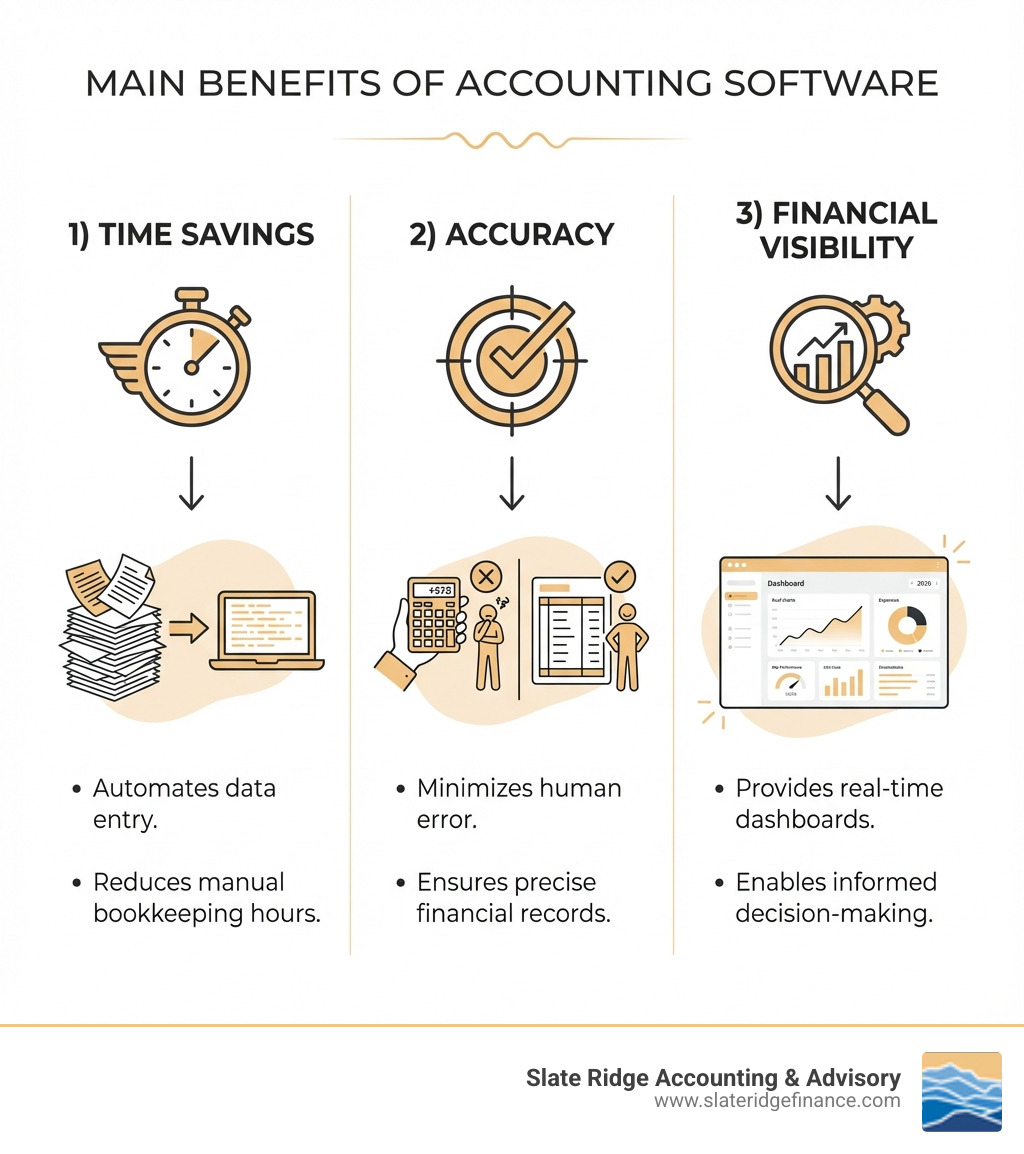
The right software saves time on data entry, reduces costly errors, and offers real-time insights into your business's performance. It syncs with bank accounts, categorizes transactions, and generates key financial reports.
However, it's crucial to remember that accounting software is a tool, not a replacement for professional guidance. It excels at daily tasks like bank reconciliations and invoice tracking, but it can't offer strategic advice or ensure compliance with complex regulations.
This guide will help you choose the best software for your needs, covering features, pricing, and the vital role of professional accounting support.
How to Choose the Best Small Business Accounting Software for Your Needs
Choosing the best small business accounting software means finding the right fit for your unique operation. When we help clients, we focus on these key factors:
- Business Size & Structure: A freelancer needs a simpler solution (like QuickBooks Solopreneur or Wave) than a growing business with employees, which might require QuickBooks Online Plus or Xero for multi-user access and advanced features.
- Industry Needs: Service-based businesses should prioritize time tracking and project accounting (FreshBooks is a strong contender), while retail or e-commerce businesses need robust inventory management (like Xero or Sage 50).
- Scalability: Select software that can grow with you. Platforms like QuickBooks Online offer tiered plans, preventing the hassle of migrating data as your business expands.
- User Experience & Mobility: An intuitive interface is key. A strong mobile app, like Zoho Books', allows you to manage finances on the go by capturing receipts or sending invoices from anywhere.
To learn more about optimizing your financial operations, explore our guide on Accounting Best Practices for Small Business Guide.
Core Features Every Small Business Needs
When evaluating best small business accounting software, these features are non-negotiable for effective financial management.
- Income & Expense Tracking: Automatically import transactions from your bank and credit card accounts. Smart categorization provides a clear picture of your cash flow and profitability.
- Invoicing & Payments: Create, send, and track professional invoices. Look for recurring billing, automated reminders, and integrated online payment options (via Stripe, PayPal, etc.) to improve cash flow.
- Bank Reconciliation: Compare your records with bank statements to ensure accuracy and spot discrepancies. Most software automates this matching process.
- Financial Reporting: Generate essential reports like the Profit & Loss, Balance Sheet, and Statement of Cash Flows to gain critical insights into your business performance.
- Receipt Capture: Use your smartphone to snap photos of receipts and upload them directly. OCR technology can even extract data automatically, saving you time.
- Tax Support: Streamline tax preparation by organizing income and expenses. The software can generate reports for tax filings and calculate sales tax. For official guidance, the IRS Small Business and Self-Employed Tax Center is an excellent resource.
- Multi-User Access: Grant access to employees, bookkeepers, or accountants with different permission levels as your team grows. Xero is known for offering unlimited users on its paid plans.
- Data Security: Ensure your provider uses strong security measures like SSL encryption and multi-factor authentication to protect your sensitive financial data.
Cloud vs. Desktop: Making the Right Choice
The choice between cloud-based and desktop software is fundamental.
Cloud Software Benefits:Cloud solutions (QuickBooks Online, Xero, FreshBooks) are accessible from any internet-connected device. This is ideal for entrepreneurs on the go, especially those managing a business from multiple locations in North Carolina. Data is stored securely by the provider, updates are automatic, and collaboration is seamless.
Desktop Software Benefits:Desktop solutions (Sage 50, AccountEdge) are installed on your computer, allowing you to work offline. Some users prefer this for local data storage and control. It often involves a one-time purchase, though annual fees for updates are common. Free options like GnuCash also exist.
Hybrid Solutions:Some providers, like Sage 50, offer both cloud and desktop versions, providing flexibility to match your business's needs for accessibility and connectivity.
To dig deeper into the advantages of online financial management, check out our Cloud Accounting Services Guide.
Understanding Software Costs: Free vs. Paid Plans
Navigating pricing for best small business accounting software is key to budgeting effectively. Plans range from free to hundreds of dollars per month, based on features and provider.
Free Plan Features
Several providers offer genuinely free plans, ideal for freelancers or micro-businesses. Wave Starter provides unlimited invoices and basic bookkeeping. Zoho Books offers a free version for businesses earning under $50k annually. ZipBooks Starter is also free for one user. These plans cover core functions but often lack advanced features or limit users.
Paid Tier Structures
Most software uses a tiered subscription model:
- Starter/Lite Plans (~$15-$30/month): These build on free plans, adding features like bank transaction imports, basic reporting, and sometimes limited multi-user access.
- Mid-Tier (Essentials/Plus, ~$30-$60/month): Aimed at growing businesses, these add bill management, time tracking, more users, and sometimes basic inventory management.
- Premium/Advanced Tiers (~$60-$200+/month): For larger small businesses, these offer advanced reporting, project profitability, multi-currency support, and support for more users (e.g., QuickBooks Online Advanced for up to 25).
Add-on Services
Factor in extra costs that may not be in your base plan:
- Payroll Processing: Usually an extra monthly fee plus a per-employee/contractor charge.
- Payment Processing Fees: A percentage plus a fixed fee per transaction for online payments (e.g., 2.9% + $0.60).
- Additional Users: Some platforms charge for extra users beyond the plan's limit.
Here's a simplified table comparing typical features across plan types:
| Feature | Free Plan (e.g., Wave Starter, Zoho Books Free) | Starter/Lite Plan (e.g., Xero Early, FreshBooks Lite) | Premium/Advanced Plan (e.g., QuickBooks Online Plus, Zoho Books Elite) |
|---|---|---|---|
| Income & Expense Tracking | Basic | Advanced, auto-categorization | Comprehensive, AI-powered |
| Invoicing | Unlimited (often) | Unlimited, customization | Advanced, recurring, multi-currency |
| Bank Reconciliation | Manual/Basic | Automated | Automated, anomaly detection |
| Financial Reports | Basic P&L, Balance Sheet | Standard suite, customizable | Extensive, custom reports, forecasting |
| Users | 1-2 | 1-5 | 5-25+ |
| Time Tracking | No | Yes (often for service-based) | Yes, project profitability |
| Inventory Management | No | Basic (sometimes) | Advanced, COGS tracking |
| Payroll | Add-on | Add-on | Integrated/Add-on |
| Integrations | Limited | Moderate | Extensive |
| Price | $0 | ~$15-$30/month | ~$60-$200+/month |
Finding the best small business accounting solution on a budget
For businesses on a tight budget, free plans from Wave, Zoho Books, or ZipBooks are excellent starting points. They cover the essentials of tracking income, expenses, and invoicing.
Consider upgrading from a free plan when you need advanced features like inventory management, project tracking, multi-user access for a growing team, or more sophisticated reporting for strategic decisions.
To evaluate plans, list your must-have features and use free trials to test the software's interface and functionality. This hands-on experience is the best way to determine if a solution meets your needs before you commit.
Opening up Growth with Advanced Features and Integrations
As your business grows, your accounting needs become more complex. Advanced features and integrations transform your software from a simple bookkeeping tool into a strategic asset.
The Power of Integrations
The true power of best small business accounting software lies in its ability to connect with other business tools, creating a streamlined and automated workflow.
- CRM & E-commerce: Connect to your CRM for a unified customer view or sync with platforms like Shopify, Amazon, and Square to automatically pull sales data and track inventory.
- Payroll & Payments: Integrate with payroll services like Gusto or payment processors like PayPal and Stripe to simplify compensation and automatically reconcile payments.
- Other Business Apps: Connect with project management or time-tracking tools to create a cohesive ecosystem. Xero, for example, integrates with over 1,000 third-party apps.
Leveraging integrations reduces manual data entry, minimizes errors, and provides a more accurate, real-time view of your business. For guidance, refer to our guide on Accounting and Payroll Services for Small Business.
The Future is Here: AI-Powered Accounting
Artificial Intelligence (AI) is making accounting software smarter and more efficient, reducing administrative burdens and offering deeper insights.
- AI-Powered Automation: AI agents, like those in QuickBooks and Xero, learn from your data to automate tasks like transaction categorization with increasing accuracy.
- Anomaly Detection: AI can flag unusual entries or potential discrepancies in your financial statements, acting as an extra layer of review to catch errors or potential fraud.
- Smart Recommendations: By analyzing financial patterns, AI can offer custom recommendations to optimize cash flow, identify spending trends, or highlight potential savings.
At Slate Ridge Accounting & Advisory, we leverage these cutting-edge tools to streamline your finances. This allows us to focus on providing strategic advice, helping you track KPIs and forecast growth without getting bogged down in manual tasks.
From Tracking to Forecasting: Managing Cash Flow
Effective cash flow management is vital for any small business. The best small business accounting software helps you track your current position and plan for the future.
- Real-time Dashboards: Get an instant snapshot of your cash inflows and outflows, accounts receivable, and accounts payable for immediate operational decisions.
- Cash Flow Prediction: Advanced plans can project your cash position weeks or months in advance by analyzing historical data and upcoming bills, helping you avoid shortages.
- Budgeting and KPIs: Use integrated budgeting tools to set financial goals and compare them to actual performance. Track key performance indicators (KPIs) like profit margins or customer acquisition costs to gain deeper insights into your business's health.
With these tools, we can work together to actively manage your financial future. Our Personalized Financial Solutions are designed to help you leverage these software capabilities to their fullest.
Software Is a Tool, Not a Replacement for an Accountant

This is a point we emphasize repeatedly: while the best small business accounting software is incredibly powerful, it is fundamentally a tool, not a substitute for a human accountant. Think of it as your digital assistant for daily tasks, while an accountant is your strategic financial partner.
Software for Daily Tasks:Accounting software excels at automating repetitive tasks. It handles bank reconciliations, manages cash flow, tracks invoices, and generates standard financial reports with impressive efficiency. It minimizes data entry and reduces calculation errors, keeping your records organized and accessible.
Accountants for Strategy:An accountant brings expertise and strategic thinking that software cannot replicate. We provide the "big picture" services:
- Strategic Advice: We analyze your financial data to provide insights on pricing, cost reduction, and overall financial health.
- Tax Planning & Compliance: An accountant helps you steer complex tax laws, identify deductions, and develop a proactive tax plan to minimize liabilities. Software organizes data, but an accountant provides personalized tax advice.
- Process Optimization & Error Mitigation: We ensure your software is set up correctly and your workflows are efficient. An accountant can review your books, catch mistakes from incorrect data entry, and ensure the integrity of your financial data.
Software provides the data; an accountant translates that data into actionable insights for business growth. They work hand-in-hand to give you the most accurate and strategic financial management possible.
To understand the specific expertise an accountant brings to your business, explore our insights on What Type of Accountant is Best for a Small Business.
Frequently Asked Questions about Small Business Accounting
How much does the best small business accounting software typically cost?
The cost of best small business accounting software varies widely.
- Free Options: Providers like Wave, Zoho Books (for businesses under $50k revenue), and ZipBooks offer robust free plans ideal for basic needs like invoicing and expense tracking.
- Paid Plans: Most software uses a subscription model. Entry-level plans start around $15-$30/month. Mid-range plans for growing businesses are typically $30-$60/month, while advanced tiers with extensive features can cost $60-$200+ per month.
- Desktop Software: Solutions like Sage 50 may have higher monthly subscriptions or upfront costs.
- Additional Costs: Remember to budget for add-ons like payroll services and transaction fees for online payment processing.
The "best" cost depends on the features, users, and complexity your business requires.
Can I do my own bookkeeping without any software?
While possible, we strongly advise against it for most businesses. Manual bookkeeping with spreadsheets is highly prone to errors, which can lead to inaccurate financial reports and costly tax mistakes. It is also incredibly time-consuming. Accounting software automates calculations, reduces human error, and frees up your time to focus on growing your business. Even a free software option is a significant upgrade over manual methods for ensuring accuracy and efficiency.
What's the difference between cloud-based and desktop accounting software?
The main difference is where the software and your data live.
Accessibility:
- Cloud-based (e.g., QuickBooks Online, Xero): Access your data from any internet-connected device, anywhere. Ideal for flexibility and remote work.
- Desktop (e.g., Sage 50): Installed on one computer. You can only access it from that machine, but you can work offline.
Data Storage & Security:
- Cloud-based: Data is stored on the provider's secure servers. They handle backups and security.
- Desktop: Data is stored on your local hard drive. You are responsible for backups and security.
Cost & Updates:
- Cloud-based: Typically a monthly/annual subscription fee. Updates are automatic.
- Desktop: Often a one-time purchase with optional annual fees for updates and support. Updates are manual.
Collaboration:
- Cloud-based: Excellent for collaboration. Your team and accountant can access the same data in real-time.
- Desktop: Collaboration is more difficult, often requiring file sharing or remote access.
The right choice depends on your need for mobility, data control, and teamwork.
Conclusion
Choosing the best small business accounting software is a pivotal decision that can significantly impact your company's efficiency, financial health, and growth trajectory. We've explored the essential features, compared cloud versus desktop solutions, dissected pricing models, and highlighted the transformative power of integrations and AI.
The right software provides the foundation: it streamlines invoicing, tracks every dollar in and out, generates insightful reports, and simplifies tax preparation. It frees you from the tedious hours of manual bookkeeping, allowing you to focus on what you do best—running and growing your business.
However, as powerful as these tools are, they are most effective when paired with expert human guidance. Accounting software empowers you with data and automation, but a seasoned accountant translates that data into strategic advice, ensures compliance, and helps you steer complex financial decisions, fostering true growth and prosperity for your business.
At Slate Ridge Accounting & Advisory, we combine cutting-edge technology with personalized, industry-custom financial expertise. We're here to help you not only select and implement the right accounting software but also to leverage its full potential, providing the strategic insights and advisory services your business needs to thrive.
Ready to get started?
Book a free consultation today and let’s explore how Slate Ridge can support your business with expert accounting that’s accurate, timely, and built around your goals.
You Might Also Like
A few more posts we think you’ll enjoy on topics that matter to business owners like you.