

Why Small Business Payroll Is a Bigger Challenge Than It Seems

Automated payroll systems for small business handle employee payments, tax calculations, and compliance, eliminating manual data entry and reducing errors. These systems automatically:
- Calculate gross pay, deductions, and net wages for all pay types
- File and pay federal, state, and local payroll taxes on time
- Generate year-end W-2s and 1099s
- Process direct deposits, often in 1-2 business days
- Track time off, benefits, and employee data
- Integrate with accounting software for automatic record syncing
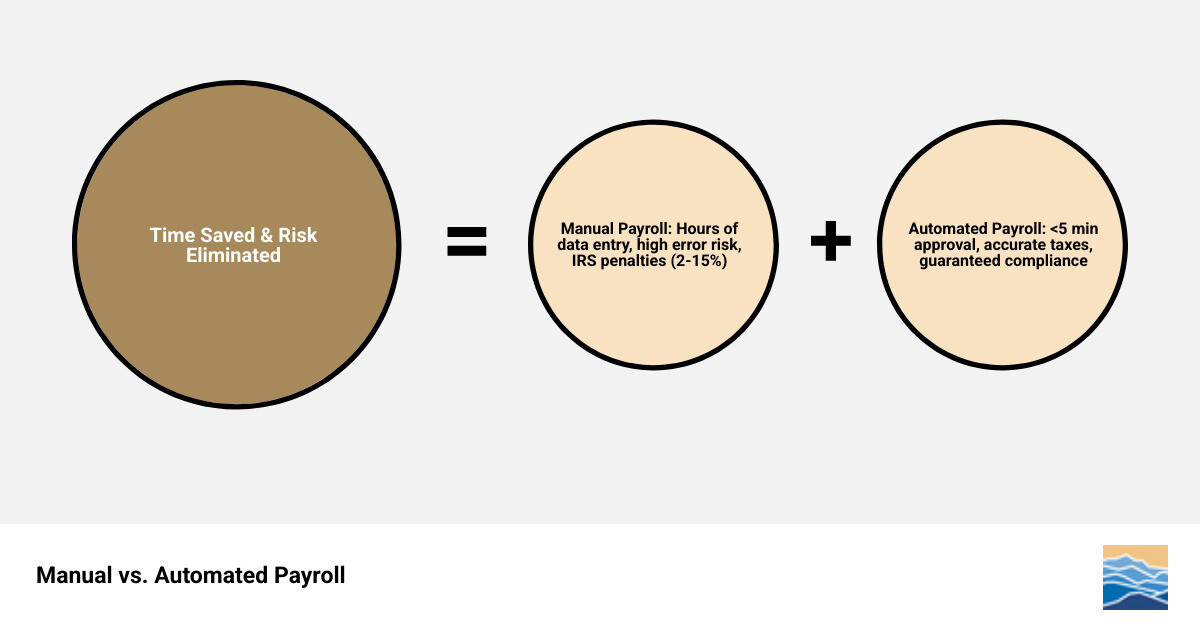
If you're running payroll manually, you know the pain: hours spent on paychecks and the anxiety of getting tax calculations right. The real question isn't about software cost, but the value of your time. With automated systems, reviewing and approving payroll can take less than five minutes, compared to hours of manual work.
Manual payroll also carries serious financial risk. A tax deposit missed by just 1-5 days incurs a 2% penalty, which jumps to 10% after 16+ days. A late Form 941 filing costs 5% of the total tax due per month (up to 25%). One mistake can wipe out any savings from doing it yourself.
Modern automated payroll systems eliminate these headaches. They handle the math, track deadlines, file forms, and can even spot tax credits you might qualify for—potentially saving eligible businesses up to $250,000 through R&D tax credits applied to payroll taxes.
Automated payroll systems for small business terms you need:
The Core Benefits of Automated Payroll Systems for Small Business
For small businesses, an automated payroll system is a strategic move. It delivers significant time savings, cost reductions by avoiding errors and penalties, improved accuracy, and assured compliance, allowing us to focus on growth. For a deeper dive into optimizing your spending, explore our cost reduction strategies.
How Automation Saves You Time and Money

The most compelling reason to switch to an automated payroll system for small business is the time and money saved. Manual data entry and calculations can take hours each month. With an automated system, that time is cut drastically; the median time to review and approve payroll is often less than five minutes.
Beyond time savings, these systems help avoid costly IRS penalties for payroll tax errors or delays. Late deposits can result in fines from 2% to 10%, while late form filings (like the 940 or 941) can cost 5% of the total tax due for each month it's overdue. Automation ensures calculations are accurate and filings are on time, protecting your bottom line. This dedication to precision is a cornerstone of financial process optimization.
Enhancing Accuracy and Employee Trust
Payroll accuracy is about more than avoiding penalties; it's about building employee trust. An automated payroll system for small business ensures every paycheck is correct, reflecting accurate wages, overtime, and tax withholdings. This precision prevents frustrating errors and eliminates time-consuming manual corrections.
Automated systems also facilitate direct deposit, a feature employees value for its convenience and reliability. Knowing their pay will arrive on time, every time, provides peace of mind. When deductions are correct and funds are delivered punctually, it reinforces a positive employer-employee relationship. By providing accurate and timely paychecks through automation, we demonstrate a commitment to our team's well-being, fostering a more engaged workforce.
Essential Features and Functionality to Look For
When considering an automated payroll system for small business, it's crucial to look for specific features that benefit your operations and can scale with your growth. The right solution streamlines current processes and anticipates future needs, much like comprehensive payroll and billing software operates.
Key Features to Look for in Automated Payroll Systems for Small Business
When evaluating systems, prioritize these essential features:
- Automated Tax Filings and Payments: The system must automatically calculate, file, and pay federal, state, and local payroll taxes, including W-2s and 1099s.
- Direct Deposit: Look for flexible and free direct deposit options, including faster processing times.
- Employee Self-Service Portals: A secure portal for employees to view pay stubs, access tax forms, and update personal information reduces administrative work.
- Comprehensive Reporting: The ability to generate detailed reports on payroll, taxes, and employee data is vital for financial analysis.
- Integration Capabilities: Seamless connection with accounting, HR, and time and attendance software is key for efficiency.
- Support for All Pay Structures: The system must handle hourly, salaried, and contractor payments, including commissions, bonuses, and overtime.
- Benefits Administration: Integrated management for health insurance, 401(k) plans, and workers' compensation is a major plus.
- Time Tracking Integration: Direct integration with time tracking tools eliminates manual data entry and ensures hour accuracy.
The Power of Integrations
The true power of modern automated payroll systems for small business is their ability to integrate with other business software. This eliminates manual data entry, reduces errors, and saves hours of administrative work.
- Accounting Software Integration: Payroll data flows directly into your accounting platform (like QuickBooks or Xero), keeping your general ledger up-to-date. This is fundamental to effective online accounting software for small business.
- HR and Time Tracking Integration: Connecting with HR platforms ensures employee data is consistent, while time tracking integration guarantees accurate pay for hours worked, including overtime and paid leave.
These integrations create a digital ecosystem where data flows effortlessly, allowing you to manage your business more cohesively.
Employee and Contractor Management
An effective automated payroll system for small business streamlines interactions with both employees and contractors. Employee self-service portals are a prime example, allowing team members to access pay stubs, retrieve W-2s, and update their personal information online. This empowers them and reduces your administrative load.
For independent contractors, these systems can process payments and provide a separate portal to view payment history and access their year-end 1099-NEC forms. Providing these tools creates a transparent, efficient environment, freeing your time from routine tasks and improving your payroll administration services.
Ensuring Compliance and Security
One of the biggest burdens for small businesses is navigating complex tax regulations and labor laws. A misstep can lead to severe penalties. This is where automated payroll systems for small business shine, acting as digital compliance officers and data security guards to protect your finances and sensitive employee data.
Automated Tax Compliance and Filings
Navigating tax regulations is a major challenge. A top-tier automated payroll system for small business removes the stress from tax compliance. These systems are designed to:
- Automate Tax Payments and Filings: They automatically calculate and remit federal, state, and local payroll taxes, handling all required forms (941, 940, W-2s, 1099s) and deadlines.
- Handle Multi-State Payroll: For businesses with employees in different locations, like a North Carolina company with staff in both Asheville and Raleigh, the system correctly calculates and files taxes based on each work location.
- Provide Automatic Tax Rate Updates: Systems are continuously updated with the latest tax laws and rates, ensuring your calculations are always accurate.
- Offer Tax Penalty Guarantees: Many leading providers are so confident in their compliance that they offer guarantees, promising to cover penalties resulting from their errors.
While some external resources might mention tax authorities from other countries, for our operations in North Carolina, the core principle remains: automated systems are our best defense against non-compliance, ensuring we are always up-to-date with federal and state requirements. For more general information on payroll tax obligations, you can find out more on payroll from the CRA.
Protecting Sensitive Payroll Data
In an age of constant data breach threats, protecting sensitive employee and company information is paramount. A secure automated payroll system for small business acts as a fortress for your data. Key security features include:
- Data Encryption: All sensitive data is encrypted, making it unreadable to unauthorized parties.
- Secure Cloud Hosting: Data is stored on secure servers with advanced physical and digital security, including redundant backups. Learn more in our guide to cloud payroll management.
- User Permissions and Access Controls: You can define who can access sensitive payroll data, preventing internal misuse or accidental exposure.
- Fraud Prevention and Compliance: Providers use sophisticated fraud detection and adhere to strict identity verification processes mandated by regulations like the USA PATRIOT Act.
- Regular Security Audits: Reputable providers undergo regular audits (like SOC2 Type II) and require multi-factor authentication (MFA) to verify their security controls and prevent unauthorized access.
By choosing a system with these robust security features, you can be confident that your payroll data and your employees' personal information are well-protected.
Choosing and Implementing Your Payroll Solution
Selecting and implementing the right automated payroll system for small business is a critical decision that requires careful consideration. It’s not a one-size-fits-all scenario; what works for one business might not be the best fit for another. We need to assess our unique needs, understand the financial implications, and plan for a smooth transition. This thoughtful approach aligns perfectly with accounting best practices for small business.
How to Choose the Right Automated Payroll Systems for Small Business
Choosing the perfect automated payroll system for small business can feel overwhelming with so many options available. To make an informed decision, we recommend a structured approach:
Evaluate Pricing Models: Payroll services typically follow two main pricing structures:
- Base Fee + Per Employee/Contractor: Many providers charge a fixed monthly base fee plus an additional charge for each employee or contractor paid. For example, some might start around $39/month plus $5-$12 per employee.
- Tiered Plans: These plans offer different levels (e.g., Core, Premium, Elite) with varying features and corresponding price points. Higher tiers often include more advanced features like HR support, same-day direct deposit, or unlimited state tax filings.
When evaluating these, always consider "hidden" fees. Are additional state filings extra? Is there a charge for workers' comp administration or contractor payments? Some providers offer free direct deposit, while others might charge for expedited options. The goal is to find a cost-effective solution that aligns with our budget without sacrificing essential features.
Assess Customer Support Options: When we inevitably have questions, reliable support is invaluable. Look for providers that offer multiple channels:
- Phone Support: U.S.-based phone support during business hours is often preferred for urgent issues.
- Chat Support: 24/7 chat support can be great for quick questions.
- Dedicated Managers: Some premium plans offer a dedicated customer success manager, providing personalized assistance.
- Learning Resources: A comprehensive knowledge base and training articles can empower us to find answers independently.
Read User Reviews: While individual experiences vary, aggregated user reviews can provide insights into a system's ease of use, customer service quality, and reliability.
Consider Potential Drawbacks: No system is perfect. Be aware of:
- Learning Curve: Any new software will require some time to learn.
- Overpaying for Unused Features: Ensure we're not paying for advanced functionalities we don't truly need, especially with tiered plans.
By thoroughly evaluating these aspects, we can pinpoint an automated payroll system for small business that perfectly suits our operational needs and financial constraints.
The Transition and Setup Process
Switching from a manual payroll process to an automated payroll system for small business might seem daunting, but with the right provider and a clear plan, it can be surprisingly smooth. Many providers offer comprehensive support to guide us through every step, especially for small businesses in North Carolina, whether we're in Asheville, Charlotte, or Raleigh. This commitment to a seamless transition is vital for payroll services for startups and established businesses alike.
Here's what the typical transition and setup process involves:
- Gathering Required Information: This is the foundational step. We'll need to compile all our company information (EIN, legal name, address), employee details (names, addresses, social security numbers, hire dates, wage rates, and year-to-date payroll data if switching mid-year), and state/local tax IDs. Having these records organized beforehand will significantly expedite the setup.
- Data Migration: Providers often have tools or dedicated teams to help migrate our existing payroll data from manual records or previous systems. Whether we're starting fresh at the beginning of a new year or transitioning mid-quarter, they'll assist in ensuring all historical data is accurately imported.
- Bank Account Verification: To enable direct deposits and automated tax payments, we'll need to link and verify our business bank account. This typically involves a secure verification process to ensure funds can be debited and credited correctly.
- Step-by-Step Setup Guidance: Most systems feature intuitive setup wizards that walk us through configuring our payroll settings, such as pay schedules (weekly, bi-weekly, semi-monthly, monthly), deduction types, contribution rules, and time-off accrual policies. We can even set up multiple pay rates for hourly employees or define departments for better cost tracking.
- Onboarding Support and Training Resources: Reputable providers offer various resources to help us get comfortable with the new system. This can include free payroll setup assistance, online learning hubs, support articles, and even white-glove customized setup for more complex needs. We should leverage these resources to ensure we're maximizing the system's capabilities.
By taking advantage of the guided setup and support, we can make the switch to an automated system with confidence, minimizing disruptions to our business operations.
Frequently Asked Questions about Automated Payroll
How much does an automated payroll system typically cost for a small business?
The cost of an automated payroll system for small business can vary significantly based on the features we need, the number of employees or contractors we have, and the chosen provider. Generally, pricing structures fall into a few common models:
- Base Monthly Fees: Many providers charge a core monthly fee for access to their platform. This fee can range from around $39 to $100+ for basic services.
- Per-Employee/Per-Contractor Fees: In addition to the base fee, there's often a per-employee or per-contractor charge. This can be anywhere from $5 to $12 per person per month. For example, a basic plan might start at $39/month plus $5 per employee, while contractor-only payroll might be as low as $6 per contractor per month.
- Tiered Plans: Some providers offer different service tiers (e.g., Core, Premium, Elite) with increasing features and corresponding price points. Higher tiers might include HR support, improved reporting, or tax penalty protection.
- Additional Fees: It's important to look out for extra charges, such as fees for additional state tax filings (beyond the first included state), expedited direct deposit, or specific benefit administration services (like workers' comp).
While these costs represent an investment, they are often offset by the time savings, reduced risk of penalties, and increased accuracy we gain. For a more detailed breakdown of potential expenses, consult our small business payroll cost guide.
Can these systems handle both salaried employees and independent contractors?
Yes, absolutely! A key advantage of modern automated payroll systems for small business is their flexibility in handling different types of workers. They are expertly designed to manage both W-2 salaried employees and hourly workers, as well as 1099 independent contractors, applying the correct tax treatments and compliance requirements for each.
For W-2 employees, the system will:
- Calculate gross pay based on salary or hourly rates, including overtime.
- Accurately withhold federal, state, and local income taxes, Social Security, and Medicare.
- Manage deductions for benefits, garnishments, and other pre-tax or post-tax items.
- Generate and file W-2 forms at the end of the year.
For 1099 independent contractors, the system will:
- Process payments without withholding income or payroll taxes, as contractors are responsible for their own taxes.
- Track payments made throughout the year.
- Generate and e-file 1099-NEC forms (Nonemployee Compensation) at year-end, which is crucial for compliance.
- Many systems also offer dedicated contractor portals, allowing contractors to view their payment history and access their 1099s directly.
This differentiated processing ensures that we remain compliant with IRS regulations for both employee classifications, simplifying our year-end tax reporting significantly.
How difficult is it to switch from a manual process to an automated system?
The idea of transitioning from a familiar, albeit cumbersome, manual payroll process to an automated payroll system for small business can seem daunting. However, in our experience, most modern providers have made this switch remarkably straightforward, especially for businesses in North Carolina.
Here’s why it's often easier than you might think:
- Provider Assistance: Many payroll providers offer extensive support during the setup phase. This can range from free payroll setup assistance to "white glove" customized setup services, where experts guide us through every step. Some even provide a dedicated customer success manager to ensure a smooth transition.
- Guided Setup and Data Import Tools: Systems typically feature intuitive setup wizards that walk us through configuring our company details, pay schedules, and employee information. For existing businesses, data import tools can help transfer historical payroll data, even if we're switching mid-year. This means we don't have to start from scratch.
- Typical Transition Timeline: While the exact time varies based on our business's complexity and the number of employees, many businesses report a surprisingly quick setup. Some users have found the process "incredibly easy and straightforward with minimal onboarding required." The most time-consuming part is often gathering our existing payroll records and ensuring they are accurate and organized.
- Importance of Organized Records: Having our current employee data, year-to-date payroll information, and tax IDs readily available is the biggest factor in a swift transition. The better organized our records are, the faster the setup will be. This highlights the importance of good bookkeeping service for small business.
While there's an initial investment of time to set up, the support from providers and the efficiency of data import tools make the transition manageable and well worth the effort for the long-term benefits.
Conclusion
Embracing an automated payroll system for small business is more than just upgrading software; it's a fundamental shift towards greater efficiency, accuracy, and peace of mind. We've explored how these systems deliver substantial time savings, freeing us from tedious manual calculations and allowing us to focus on strategic growth initiatives for our North Carolina business, whether we're based in Boone, Hickory, or Wilmington. The cost efficiencies are undeniable, not just in terms of reduced administrative hours but, more critically, in avoiding the steep penalties associated with payroll errors and late tax filings.
Beyond the numbers, these systems ensure compliance with federal, state, and local tax regulations and labor laws, offering a crucial layer of protection for our business. They also improve employee trust through accurate, on-time payments and transparent self-service options. By integrating seamlessly with other business software and safeguarding sensitive data with robust security measures, an automated payroll system for small business becomes an invaluable strategic asset.
At Slate Ridge Accounting & Advisory, we understand the unique challenges small businesses face. We believe that the right financial tools, combined with expert guidance, can truly empower growth. Don't let payroll complexities hold your business back.
Take control of your finances with virtual accounting services.
Ready to get started?
Book a free consultation today and let’s explore how Slate Ridge can support your business with expert accounting that’s accurate, timely, and built around your goals.
You Might Also Like
A few more posts we think you’ll enjoy on topics that matter to business owners like you.