

Why Small Businesses Need Smarter Payroll Solutions

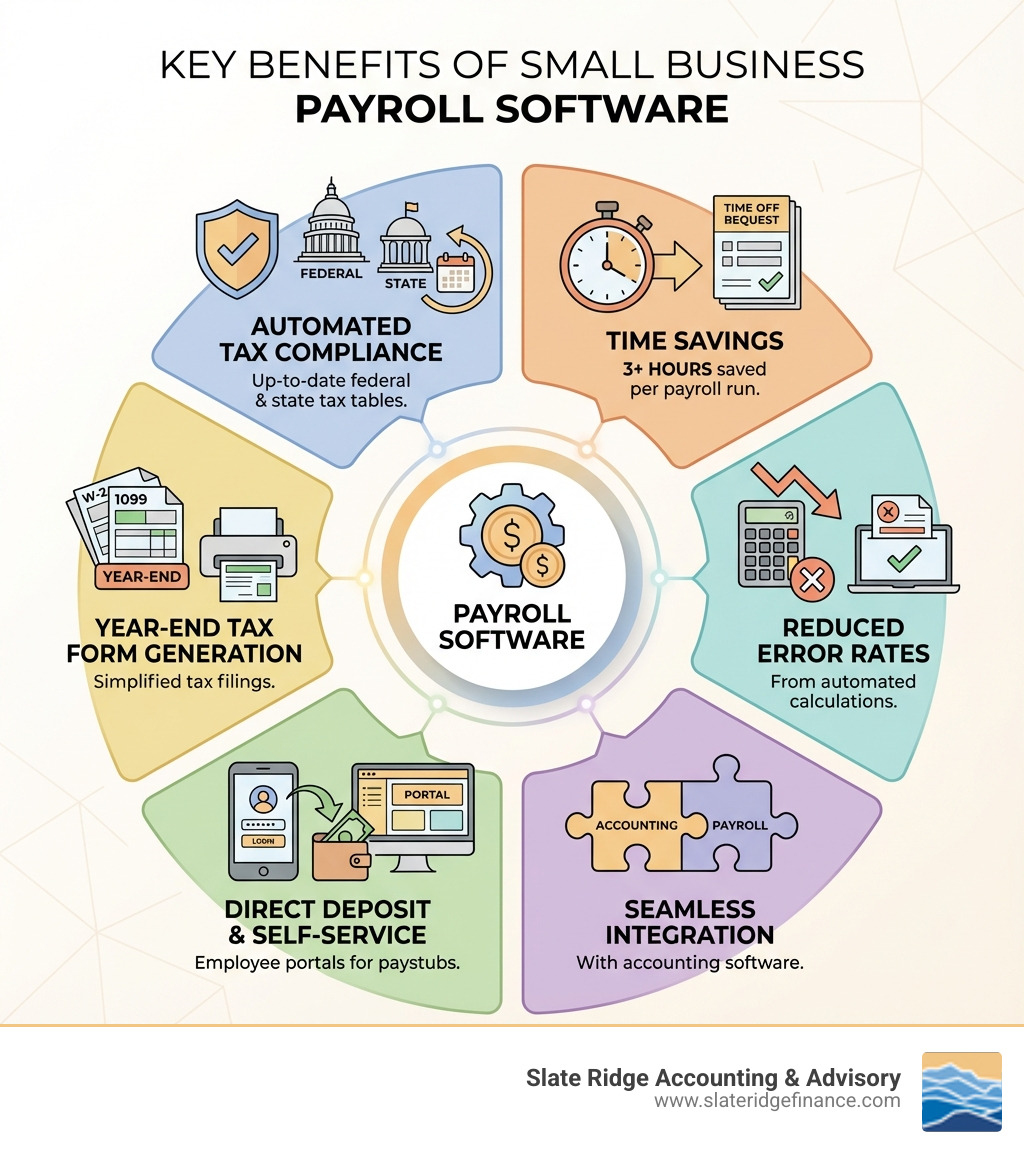
Small business payroll software automates wage calculations, tax filings, and compliance tracking—saving you time and reducing costly errors. Here's what the best solutions offer:
Top Features to Compare:
- Automated tax calculations and filings (federal, state, and local)
- Direct deposit and payment flexibility for employees and contractors
- Integration with accounting software for seamless financial management
- Employee self-service portals for paystubs and tax forms
- Compliance alerts and year-end tax form generation (W-2s, 1099s)
Running payroll manually is overwhelming. About one-third of employers make payroll errors each year, and 51% of organizations still use manual processes and spreadsheets to handle payroll. That's not just time-consuming—it's risky.
Every miscalculation, missed tax deadline, or compliance mistake can trigger IRS penalties ranging from 2% to 15% of unpaid taxes. Late filing of quarterly forms like the 941 costs 5% of total tax due per month, maxing out at 25%.
The good news? Modern payroll software eliminates most of these risks while freeing up hours each month. It handles the math, tracks tax law changes, files forms automatically, and gives your employees instant access to their pay information.
For growing businesses, the right payroll solution isn't just about paying people on time—it's about integrating with your accounting system, scaling as you hire, and keeping your financial records accurate without drowning in administrative work.
Why Manual Payroll Is Holding Your Business Back
Let's be honest: running a small business is a whirlwind. You're juggling sales, marketing, operations, customer service, and, oh yeah, paying your team. When it comes to payroll, many small business owners start with manual processes, perhaps using spreadsheets or even just pen and paper. It seems cheaper, right? In reality, this approach often creates more headaches than it solves, becoming a major bottleneck for growth.
The primary challenge small business owners face with payroll management boils down to complexity and compliance. Payroll isn't just about multiplying hours by an hourly rate. It involves:
- Calculating wages, including regular pay, overtime, commissions, and bonuses.
- Tracking and managing various deductions, from federal and state income taxes to Social Security, Medicare, and voluntary deductions for benefits.
- Staying on top of ever-changing federal, state, and local tax laws. Each state, including our beloved North Carolina with its unique regulations, has specific minimum wage requirements, pay date schedules, and tax withholding rates.
- Depositing withheld taxes with the correct government agencies on time.
- Filing a myriad of quarterly and annual forms, like federal Forms 941 and 940, and year-end W-2s and 1099s.
It’s a lot to keep track of, and the stakes are high. As a business grows, payroll complexity increases with different pay rates, benefits, and deductions, making it harder to handle without a dedicated solution. This is precisely why about one-third of employers make payroll errors each year. In fact, recent data shows that 51% of organizations still use manual processes and spreadsheets to process payroll. This translates to time wasted on tasks that could be automated, and a higher risk of errors.
The consequences of payroll errors aren't just frustrating; they're expensive. The IRS doesn't take kindly to mistakes or late payments. Penalties for late payroll tax deposits can range from 2% to 15%, depending on how late they are. Late filing of forms like the 940 or 941 can cost you 5% of the total tax due per month, up to 25%. And then there's interest on unpaid taxes, which can range from 3% to 6%. These fines quickly add up, turning what seemed like a "free" manual process into a very costly endeavor.
Beyond the financial penalties, manual payroll eats up valuable time that you, as a small business owner, could be spending on revenue-generating activities or, dare we say, enjoying a little downtime. Automating your payroll processes with dedicated small business payroll software frees you from these administrative burdens. It ensures accuracy, helps you remain compliant with all federal and North Carolina state regulations, and ultimately saves you money by preventing costly errors and penalties. It’s an investment that pays for itself, allowing you to focus on what you do best: running your business. For a deeper dive into how professional services can help, explore our Payroll Management Services.
Essential Features to Look for in Small Business Payroll Software
Choosing the right small business payroll software is like picking the perfect co-pilot for your financial journey. You need a system that handles the heavy lifting, steers complex regulations, and integrates seamlessly with your existing operations. This section will break down the must-have features to help you compare solutions without getting lost in brand names.
Core Payroll Calculations and Payments
At the heart of any good payroll software is its ability to accurately calculate and distribute pay. Look for solutions that offer:
- Automated Wage Calculation: This includes regular wages, overtime, commissions, and bonuses. The software should automatically apply the correct rates and calculations.
- Overtime Tracking: Especially crucial for hourly employees, the software should effortlessly track and calculate overtime pay according to federal and North Carolina state labor laws.
- Garnishments & Deductions: From court-ordered garnishments to health insurance premiums, 401(k) contributions, and other pre-tax or post-tax deductions, the software should manage these accurately and consistently.
- Multiple Pay Rates: If you have employees working different jobs or shifts with varying pay rates, the software should allow you to easily set and apply multiple rates for each individual.
- Direct Deposit: A non-negotiable feature for efficiency and employee satisfaction. Most solutions offer free direct deposit options, with some even providing expedited 2-day or same-day deposits for qualifying customers.
- Printable Paychecks: While direct deposit is king, some employees may still prefer or require paper Paychecks. Your software should offer easy printing options.
- Net-to-Gross Calculations: This handy tool helps you calculate the gross pay needed to achieve a specific net take-home amount, useful for bonuses or special payments.
Automated Tax Filings and Compliance
Tax compliance is arguably the most critical function of payroll software. A reliable system acts as your guard against costly penalties and ensures you meet all your obligations.
- Federal Tax Filing (941/940): The software should automatically calculate, withhold, and file quarterly federal forms like Form 941 and annual forms like Form 940.
- State & Local Tax Filing: This is where local expertise comes in handy. Your software must be able to handle North Carolina state income tax, unemployment insurance, and any applicable local taxes for areas like Asheville, Charlotte, or Raleigh. Many solutions will automatically file and deposit these taxes for you.
- Year-End W-2/1099 Forms: Generating and distributing W-2s for employees and 1099s for contractors can be a massive undertaking. Good software automates this process, including e-filing with the IRS.
- Tax Penalty Protection: Some premium payroll software options offer guarantees, promising to pay any penalties if their calculations or filings lead to an error, provided you supplied correct information on time. This offers incredible peace of mind.
- Compliance Alerts: With tax laws constantly evolving, alerts for federal, state, and local compliance updates are invaluable.
Crucial Software Integrations
Your payroll system shouldn't be an island. Seamless integration with other business tools creates a cohesive and efficient financial ecosystem.
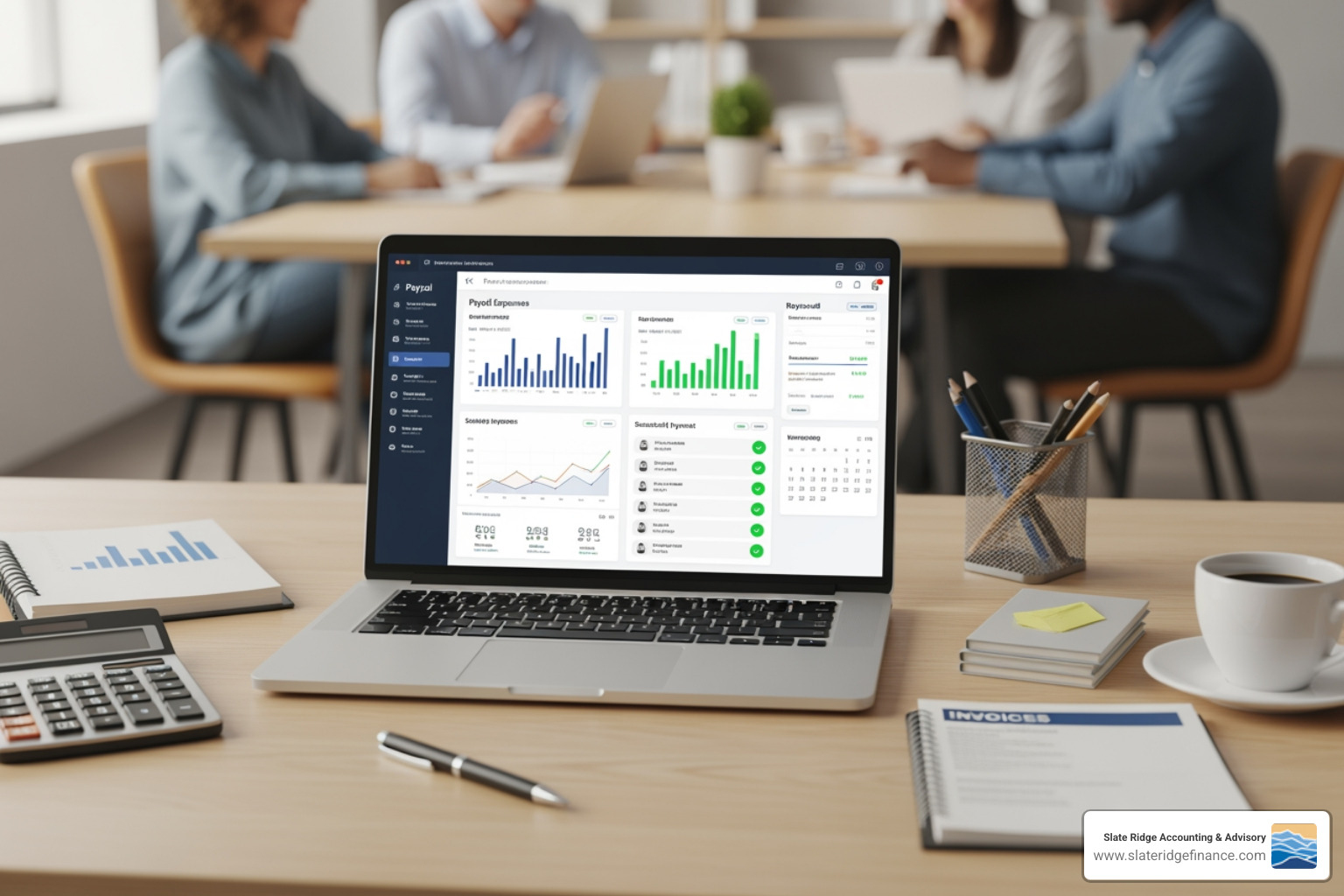
- Integration with Accounting and Bookkeeping Systems: This is paramount. Payroll data, including wages, taxes, and deductions, should flow effortlessly into your general ledger. This eliminates manual data entry, reduces errors, and simplifies reconciliation, making life much easier for us at Slate Ridge Accounting & Advisory. For more on this, check out our insights on Accounting and Payroll Services for Small Business.
- Time-Tracking Features: If your employees punch in and out, integration with a time-tracking system means hours automatically feed into payroll, streamlining the calculation process.
- HR Data Management: Connecting payroll with HR functions allows for centralized employee records, making it easier to manage new hires, terminations, and employee information updates.
- Benefits Administration (401k, Health Insurance): Many payroll solutions integrate with third-party providers for health benefits and 401(k) plans, simplifying deductions and contributions.
Employee and Admin Accessibility
Modern payroll software isn't just for the business owner; it empowers your employees too!
- Employee Self-Service Portals: This is a game-changer. Employees can securely access their pay stubs, pay history, time-off balances, and electronic W-2s, reducing administrative inquiries.
- Pay Stub Access: Employees can view and download their current and historical pay stubs at their convenience.
- W-2 Access: Secure online access to year-end tax forms simplifies tax season for everyone.
- Mobile-Friendly Interface: The ability to access and manage payroll from a smartphone or tablet is essential. This means you can run payroll or check reports even when you're on the go, perhaps enjoying a beautiful North Carolina sunset.
- User Roles & Permissions: For businesses with multiple administrators or an accounting team (like ours!), the ability to assign different access levels ensures sensitive payroll data remains secure and only authorized individuals can perform specific tasks.
- Cloud Payroll Management: This feature ensures that your payroll data is accessible from anywhere, anytime, securely stored in the cloud, and always up-to-date.
How to Choose the Right Payroll Solution for Your Business
Selecting the perfect small business payroll software can feel like a daunting task, but it doesn't have to be. By systematically assessing your needs and understanding the available options, you can find a solution that truly supports your business goals. This section provides a step-by-step guide to selecting the perfect software for your unique situation.
Assessing Your Business Needs
Before you even start looking at features or pricing, take a moment to understand your own business's specific requirements.
- Number of Employees: This is often the first filter. Many payroll solutions are priced per employee per month, and some free or basic plans have caps on the number of employees they support. Consider your current team size and your projected growth.
- W-2 Employees vs. 1099 Contractors: Do you primarily pay employees, independent contractors, or a mix of both? Ensure the software can handle both types of workers and generate the appropriate year-end tax forms (W-2s and 1099s).
- Multi-State Operations: While your business might be rooted in one of North Carolina's vibrant cities like Charlotte or Raleigh, do you have employees working remotely in other states? This significantly increases payroll complexity and requires software that can handle multi-state tax filings.
- Scalability for Growth: A good payroll solution should grow with you. What features will you need when you double your team or expand into new services? Choosing a flexible system now can save you the headache of switching later.
- Reporting Requirements: What kind of payroll reports do you need? Beyond basic pay stubs, do you require detailed departmental cost analysis, tax liability reports, or custom reports for specific business insights?
- Business Payroll Companies: Consider if you need a solution that is part of a larger ecosystem of business services or a standalone payroll offering.
Understanding Pricing Models for small business payroll software
Payroll software pricing can vary widely, and understand the different models to avoid surprises. Our Small Business Payroll Cost Guide offers a comprehensive breakdown, but here are the key elements:
- Base Monthly Fee: Most paid solutions start with a flat monthly fee for the core software and basic services.
- Per-Employee-Per-Month (PEPM) Cost: This is a common addition to the base fee, where you pay a set amount for each active employee on your payroll. This fee might also apply to independent contractors you pay through the system.
- Tiered Feature Plans: Many providers offer different service tiers (e.g., Basic, Premium, Elite) with increasing features and support at higher price points. For example, a basic plan might cover core payroll and tax filing for one state, while a premium plan might include HR support, time tracking, and multi-state filing.
- Hidden Fees: Always read the fine print! Look out for potential extra costs for things like:
- Setup fees (though many offer free setup assistance).
- Year-end filing fees (for W-2s and 1099s).
- Additional state tax filings (beyond the first state).
- Expedited direct deposit.
- Specialized reports or integrations.
Free vs. Paid: When to Upgrade your small business payroll software
For startups and very small businesses, the allure of free payroll software is strong. However, it’s crucial to understand the trade-offs.
- Limitations of Free Software:
- Employee Caps: Free options often restrict you to a very small number of employees (e.g., 5-25).
- Manual Tax Filing: Many free solutions require you to manually calculate and file your payroll taxes, negating a major benefit of automation and increasing your risk of error and penalties.
- Lack of Integrations: Free tools typically don't integrate with your accounting or time-tracking software, meaning you'll still be doing a lot of manual data transfer.
- Fewer Features: Advanced features like HR support, benefits administration, or robust reporting are almost always reserved for paid plans.
- Geographic Restrictions: Some free options might not support North Carolina's specific tax requirements or local regulations.
- When to Switch to Paid: A free tool that creates more problems than it solves isn't really free at all. You should consider upgrading your small business payroll software from free to paid when:
- Your employee count exceeds the free plan's limit.
- The time you spend on manual tax filing and compliance becomes a burden.
- You need integrations with your accounting system to streamline operations.
- You require more advanced features like employee self-service portals, comprehensive reporting, or HR support.
- The risk of payroll errors and associated penalties outweighs the cost of a paid subscription.
- As a startup grows, transitioning to a paid, more robust system is a natural and necessary step to ensure compliance and efficiency. For more insights on this journey, refer to our guide on Payroll Services for Startups. The value of your time, and the potential cost of errors, often makes the investment in paid software well worth it.
Frequently Asked Questions about Payroll Software
We understand that navigating small business payroll software can bring up a lot of questions. Here are some of the most common ones we hear from business owners across North Carolina.
How does payroll software ensure tax compliance?
Payroll software is designed with compliance at its core, acting as a digital assistant that never forgets a deadline or miscalculates a tax. It ensures tax compliance primarily through:
- Automated Tax Calculations: The software automatically calculates federal, state (including North Carolina's income tax), and local taxes based on employee wages, deductions, and current tax tables. These tax tables are regularly updated by the software provider to reflect the latest legislation changes, so you don't have to constantly monitor tax law updates yourself.
- Automatic Form Filing: Many paid payroll solutions will not only calculate but also automatically file your necessary tax forms (like federal Forms 941, 940, and North Carolina state tax forms) with the appropriate government agencies. They also handle the timely deposit of your withheld taxes.
- Deadline Reminders: Even if you opt for a plan that requires you to manually file, the software will provide clear reminders for upcoming deadlines, helping you stay organized and avoid late penalties.
- Reduces Human Error: By automating complex calculations and data entry, payroll software significantly reduces the chance of human error, which is a leading cause of tax penalties. It’s like having a meticulous accountant double-checking every single number.
Can I pay both employees and independent contractors?
Yes, absolutely! Most modern small business payroll software solutions are built to handle both W-2 employees and 1099 independent contractors within the same platform. This is a huge benefit for businesses that use a flexible workforce.
- For W-2 employees, the software manages all federal and state tax withholdings, benefits deductions, and generates their W-2s at year-end.
- For 1099 contractors, the software typically tracks payments made throughout the year and helps you generate and e-file the necessary 1099 forms with the IRS at year-end. Some platforms even offer dedicated contractor portals where contractors can manage their payment information and access their payment history. This dual capability streamlines your entire payment process and ensures you comply with the specific reporting requirements for each type of worker.
What is the difference between payroll software and a full-service payroll provider?
This is a common point of confusion, and understanding the distinction is key to choosing the right level of support for your business.
Payroll Software (or DIY Payroll Software): This is a tool that you purchase and operate yourself (or with the help of your accounting advisor). The software automates the calculations, tax filings, and reporting, but you, as the business owner, are still responsible for inputting employee hours, reviewing payroll, approving payments, and ensuring the data is accurate. It gives you control over the process while leveraging automation. Think of it as driving a very smart, self-parking car – you're still in the driver's seat, but the car handles many complex maneuvers for you.
Full-Service Payroll Provider: This is when you outsource your entire payroll process to an external company. They handle everything from calculating wages and taxes to making direct deposits, filing all federal and state tax forms, and even responding to tax notices. Some full-service providers, particularly Professional Employer Organizations (PEOs), go even further, offering comprehensive HR support, benefits administration, and even taking on some of the employer's liability. This is like hiring a chauffeur – you tell them where to go, and they handle all the driving.
The choice often comes down to your comfort level with managing payroll tasks, the complexity of your business, and your budget. With payroll software, you maintain more direct control and typically incur lower costs. With a full-service provider, you gain maximum convenience and offload significant responsibility, but at a higher price point. If you're looking for external expertise without fully outsourcing, engaging with an accounting firm like ours can provide the best of both worlds, offering guidance and support with your chosen software. For more on comprehensive support, look into Payroll Administration Services.
Conclusion
Choosing the right small business payroll software is more than just a purchase; it's a strategic decision that impacts your time, compliance, and ultimately, your bottom line. We've seen how manual payroll can hold businesses back, leading to costly errors, missed deadlines, and endless administrative headaches.
By embracing modern payroll software, you open up key benefits: automation frees up your valuable time, accurate calculations ensure compliance with ever-changing federal and North Carolina state tax laws, and seamless integration with your accounting systems creates unparalleled efficiency. This allows you to scale your business with confidence, knowing your payroll is handled correctly.
At Slate Ridge Accounting & Advisory, we understand the unique challenges small businesses face. Our expertise lies in helping you streamline your financial tech stack, ensuring your payroll and accounting systems work together harmoniously. For expert guidance on integrating payroll with your accounting system for seamless financial management, explore our virtual accounting services. Let us help you steer the complexities so you can focus on growing your business in North Carolina and beyond.
Ready to get started?
Book a free consultation today and let’s explore how Slate Ridge can support your business with expert accounting that’s accurate, timely, and built around your goals.
You Might Also Like
A few more posts we think you’ll enjoy on topics that matter to business owners like you.