
Why Getting Your KPI Dashboard Setup Right Matters
A KPI dashboard setup creates a visual tool to track your most important business metrics in one place. Here's a quick overview:
- Define your business goals and choose 5-20 relevant KPIs that align with them.
- Identify reliable data sources (accounting software, CRM, spreadsheets).
- Select a dashboard platform (Excel, Power BI, Google Data Studio, or specialized BI tools).
- Design clear visualizations using appropriate charts and graphs.
- Set up automated data updates and share with your team.
Many business owners are drowning in data but starving for insights. With data scattered across spreadsheets, accounting software, and CRMs, making critical decisions becomes a hunt for a complete picture.
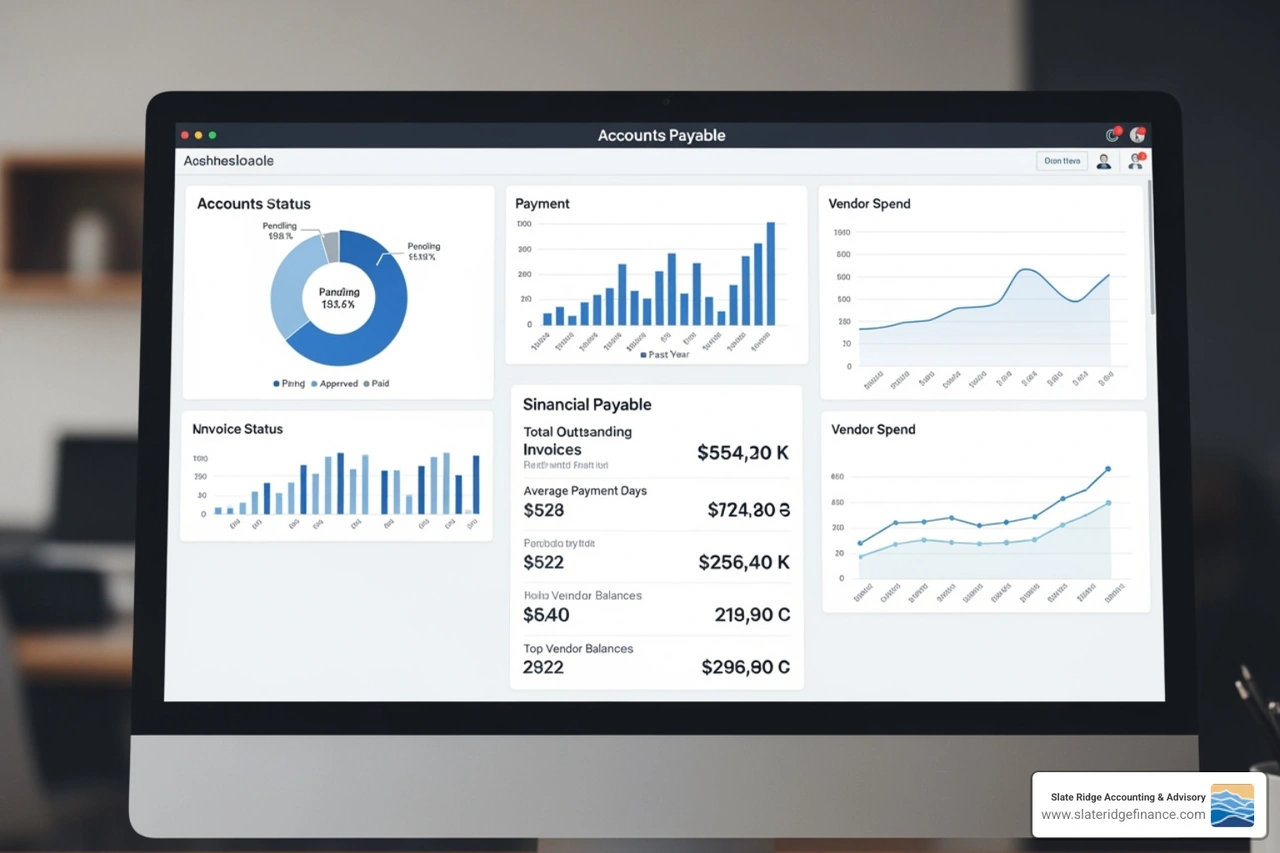
A KPI dashboard is a business intelligence tool that consolidates key performance indicators (KPIs) into one visual interface. It turns raw data into actionable insights, helping you monitor business health, track goals, and make informed decisions quickly.
The issue isn't a lack of data, but its scattered nature. According to the KPI Institute, 68% of companies using a KPI strategy report positive business performance improvements. When you see what matters at a glance, you make better, faster decisions.
This guide will walk you through setting up your first KPI dashboard, from choosing metrics to designing effective visualizations.
The "Why" and "What": Understanding KPI Dashboards
At its core, a KPI dashboard transforms raw numbers into a clear, visual story. It provides a bird's-eye view of your business performance, enabling timely, data-driven decisions. This isn't just about pretty charts; it's about using data visualization to illuminate your path to success.
Every business, regardless of size, can benefit from a well-structured KPI dashboard. It allows for continuous goal setting and tracking, providing real-time insights into your business's health. Think of it as your company's control panel, giving you immediate feedback on what's working and what needs attention. For a deeper dive into understanding your financial health, explore our guide on Financial Performance Analysis.
Why Your Business Needs a KPI Dashboard
Why go through the effort of a KPI dashboard setup? Because the benefits are profound and far-reaching:
- Improved Decision-Making: With key metrics at your fingertips, you can quickly identify trends and spot anomalies to make informed choices instead of guessing.
- Increased Operational Efficiency: Dashboards highlight operational bottlenecks and areas of inefficiency. Monitoring metrics like inventory turnover helps you streamline processes and reduce waste.
- Improved Team Alignment: When everyone has access to the same performance data, it fosters a shared understanding of goals. This transparency ensures all teams work towards common objectives, reducing silos and boosting collaboration.
- Early Problem Detection: A KPI dashboard acts as an early warning system. Seeing a dip in sales or a rise in customer churn in real-time allows for swift corrective action, minimizing potential damage.
- Significant Performance Improvement: As mentioned, a study by The KPI Institute found that 68% of businesses reported a positive improvement in performance after implementing a KPI strategy. This isn't just for big corporations; 65.5% of startups surveyed consider KPIs very important for success, proving their universal value.
Strategic vs. Operational vs. Tactical Dashboards
Not all dashboards are created equal, and understanding their different purposes is crucial for effective KPI dashboard setup. Dashboards can generally be categorized into four types, each serving a distinct audience and objective:
| Dashboard Type | Audience | Timeframe | Data Granularity | Purpose |
|---|---|---|---|---|
| Executive | Senior Management | Quarterly, Annually | High-level summaries | Monitors long-term company strategy, critical success factors, and overall business health. Used for strategic planning and evaluating progress against overarching goals. |
| Operational | Teams, Managers | Daily, Hourly | Real-time, granular | Monitors day-to-day activities and processes. Provides a snapshot of current conditions to ensure smooth operations and immediate problem-solving. |
| Tactical | Department Heads | Weekly, Monthly | Detailed, trend-based | Tracks progress towards specific departmental or project goals. Focuses on trends and allows for deeper dives into performance to inform short-to-medium term adjustments. |
| Analytical | Analysts, Managers | Historical, Ad-hoc | Highly detailed | Supports in-depth data exploration and root cause analysis. Used to identify underlying patterns, forecast future trends, and provide comprehensive support for executive decisions. This is where we might dig into why a KPI is moving in a certain direction. |
Know Your Audience: Tailoring Dashboards for Different Users
A one-size-fits-all approach to dashboards is a recipe for disaster. Different roles within your business need different views of your data. Tailoring your KPI dashboards to specific audiences is paramount for their adoption and effectiveness.
- Executives: They need concise, high-level summaries about profitability, market share, and strategic goal attainment. For them, a dashboard should be quick, clear, and focused on essential indicators.
- Managers: These leaders need more detail than executives but less than analysts. They focus on departmental performance and progress against tactical goals, using metrics like team productivity or specific campaign results.
- Analysts: These data detectives thrive on granularity. They need access to raw data, drill-down capabilities, and historical trends to perform deep dives, identify root causes, and forecast future performance.
- Team Members: For individual contributors, dashboards should focus on metrics directly relevant to their daily tasks and immediate goals. Seeing their contribution to the larger picture can be incredibly motivating.
Customization is key. When setting up your dashboard, consider:
- Relevant Metrics: What specific KPIs directly impact this user's role or decisions?
- Granularity Levels: How much detail does this user need?
- Frequency of Review: How often will this user check the dashboard? This dictates the freshness of the data.
By understanding these needs, we ensure our dashboards are not just informative but truly empowering for every user. For a deeper understanding of reporting custom to your business, refer to our Small Business Financial Reporting Complete Guide.
The Step-by-Step KPI Dashboard Setup Process
Starting on a KPI dashboard setup journey might seem daunting, but by breaking it down into manageable steps, you'll find it's an exciting path to clearer business insights. Our approach is systematic, ensuring you build a dashboard that is robust, reliable, and truly useful.
Step 1: Define Goals and Choose the Right KPIs
This is arguably the most critical phase of your KPI dashboard setup. Without clear goals, your KPIs will be like a compass without a destination.
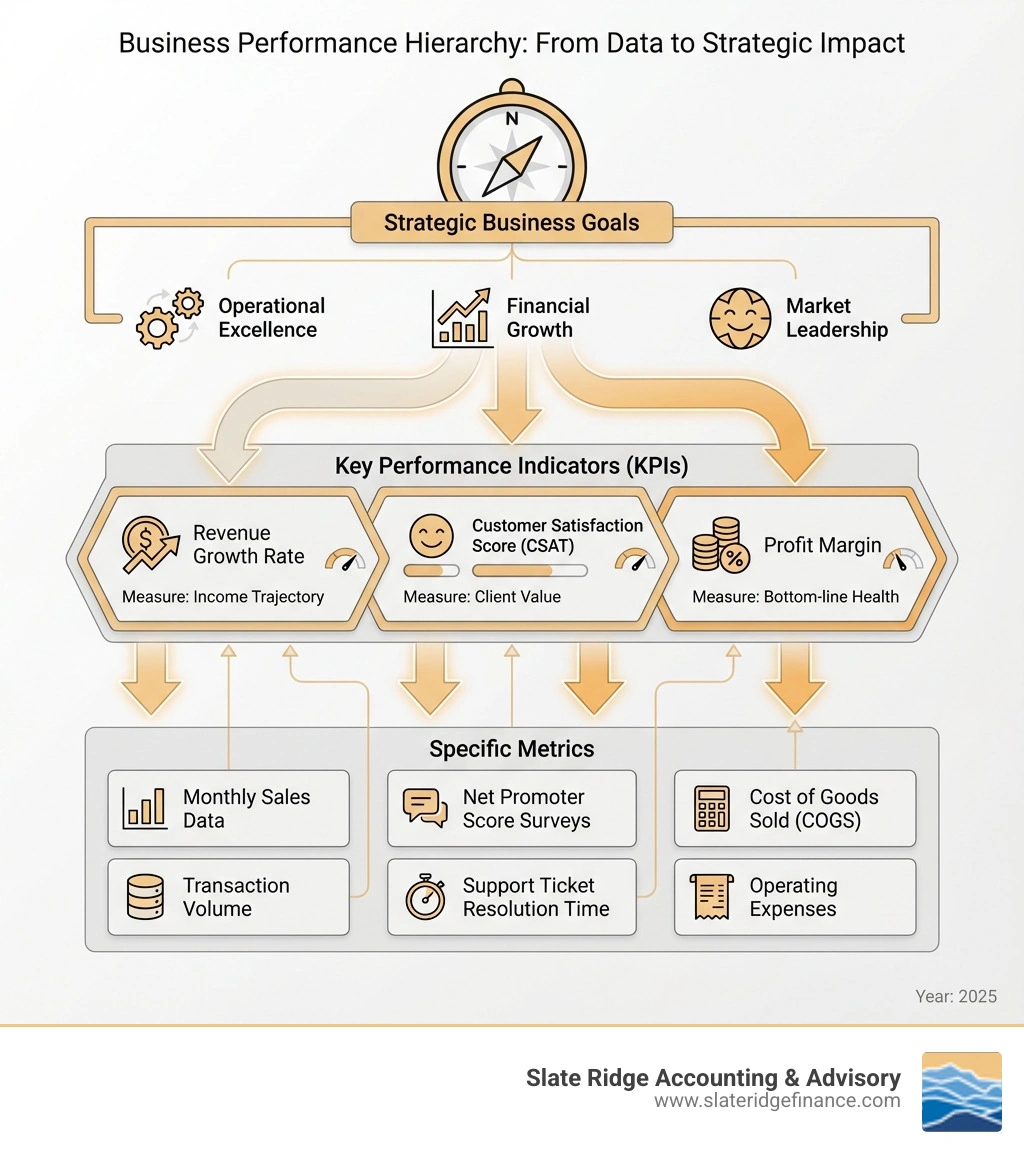
- Align KPIs with Business Objectives: Start by asking: What are our overarching business goals? Do we want to increase revenue, improve customer satisfaction, or reduce operational costs? Every KPI you choose must directly contribute to measuring progress towards these objectives. For example, if your goal is to grow your small business in North Carolina, your KPIs should reflect that growth.
- SMART Criteria: Ensure your goals are Specific, Measurable, Achievable, Relevant, and Time-bound. Your KPIs should naturally flow from these SMART goals.
- Actionable vs. Vanity Metrics: Be wary of vanity metrics – numbers that look good on paper but don't offer real insight or dictate action (e.g., total website visitors without conversion data). Instead, focus on actionable metrics that you can influence and that provide clear direction. For instance, website conversion rate is far more actionable than just visitor count.
- Leading vs. Lagging Indicators: A balanced dashboard includes both:
- Leading indicators predict future performance (e.g., website leads for future sales). They allow for proactive adjustments.
- Lagging indicators confirm past results (e.g., monthly revenue). They show the outcome of past actions.
- How Many KPIs? While there's no magic number, most CFOs consider between five and 20 KPIs to be the sweet spot for a comprehensive overview without information overload. However, some strategic planning experts recommend focusing on five to seven KPIs per dashboard to maintain clarity and focus. The key is to have just enough to give a clear overview without overcomplicating the picture.
For a deeper dive into selecting and tracking your most important metrics, explore our guide on How to Track KPIs.
Step 2: Ensure Data Integrity and Identify Sources
Your KPI dashboard is only as good as the data it displays. Garbage in, garbage out, as they say! This step focuses on establishing a solid data foundation.
- Data Accuracy: Inaccurate data leads to flawed insights and poor decisions. We emphasize meticulous data collection and validation. This means ensuring that the numbers flowing into your dashboard are correct, up-to-date, and free from errors.
- Data Reliability: Beyond accuracy, data needs to be reliable. Is the data source consistent? Does it capture all necessary information? Establishing reliable data sources is crucial for long-term dashboard effectiveness.
- Single Source of Truth: Ideally, your business should strive for a "single source of truth" for each key metric. This means all departments are pulling data from the same, verified location, preventing discrepancies and arguments over whose numbers are "right."
- Identify Data Sources: Where does your business data live? Common sources include:
- Spreadsheets: While flexible, they can be prone to manual errors and version control issues. We often help clients clean up and migrate data from spreadsheets.
- CRM Software: For sales and customer data (e.g., lead conversion rates, customer acquisition cost).
- Accounting Software: The bedrock for financial KPIs like gross profit margin, operating cash flow, and accounts receivable. For businesses in North Carolina, leveraging modern cloud-based accounting solutions is a game-changer. Learn more about the benefits in our guide to Cloud Accounting Services.
- Marketing Platforms: For website traffic, conversion rates, and campaign performance.
- Operational Systems: For inventory levels, production volumes, or service delivery metrics.
- Data Cleansing: Before integrating any data into your dashboard, it must be clean. This involves removing duplicates, correcting errors, filling in missing values, and standardizing formats. It's not the most glamorous part of KPI dashboard setup, but it's absolutely essential for trustworthy insights.
Step 3: A Practical Guide to Your First KPI Dashboard Setup
With your goals defined and data sources identified, it's time to roll up our sleeves and start building. This is where the magic of KPI dashboard setup truly comes alive.
- Choose a Platform: The right tool depends on your budget, technical expertise, and desired complexity.
- BI Tools: Software like Power BI or Google Data Studio offer powerful visualization, data integration, and interactivity features. They are excellent for complex dashboards and larger datasets.
- Spreadsheets: For smaller businesses or simpler dashboards, Excel can be surprisingly effective. It's universally familiar, and we can help you build dynamic dashboards with pivot tables and slicers.
- Integrated Software: Many business software solutions (like some accounting platforms or CRM systems) now offer built-in dashboard capabilities. These can be a great starting point, especially if your KPIs primarily come from that single system.
- Build Visualizations: This is where your data takes shape.
- Charts: Line charts for trends over time, bar charts for comparisons, pie charts for proportions (use sparingly!).
- Graphs: Scatter plots for correlations, area charts for cumulative totals.
- Tables: For displaying precise numerical data, especially when comparing multiple metrics side-by-side.
- Scorecards/Gauges: Excellent for showing a single KPI against a target or benchmark.
- Arrange Layout Logically: Your dashboard should tell a story at a glance. Place the most important KPIs prominently, typically at the top or left side. Group related metrics together. Think about how your eye naturally scans a page.
- Add Interactivity: This is what lifts a dashboard above a static report.
- Filters: Allow users to narrow down data by date range, department, product, or any other relevant dimension.
- Slicers: Similar to filters, often used in spreadsheet-based dashboards to quickly segment data.
- Drill-downs: Enable users to click on a high-level metric (e.g., total sales) and see the underlying detail (e.g., sales by product category or region). This allows for deeper exploration without cluttering the main view.
Effective KPI dashboard setup empowers you to look forward, not just backward. For insights into how your current performance can inform future projections, explore our guide on Business Financial Forecasting.
Design, Examples, and Best Practices
A well-designed KPI dashboard isn't just functional; it's intuitive and engaging. User experience (UX) is paramount here. A clean, clear, and simple design ensures that your team can quickly grasp insights and act on them. The goal is to provide context and clarity, not just data. For a comprehensive strategy to lift your business, dive into our Business Growth Strategies.
Best Practices for an Effective Dashboard
We've all seen those dashboards that look like a data spaghetti factory. Don't let yours be one of them! Follow these best practices for an effective KPI dashboard setup:
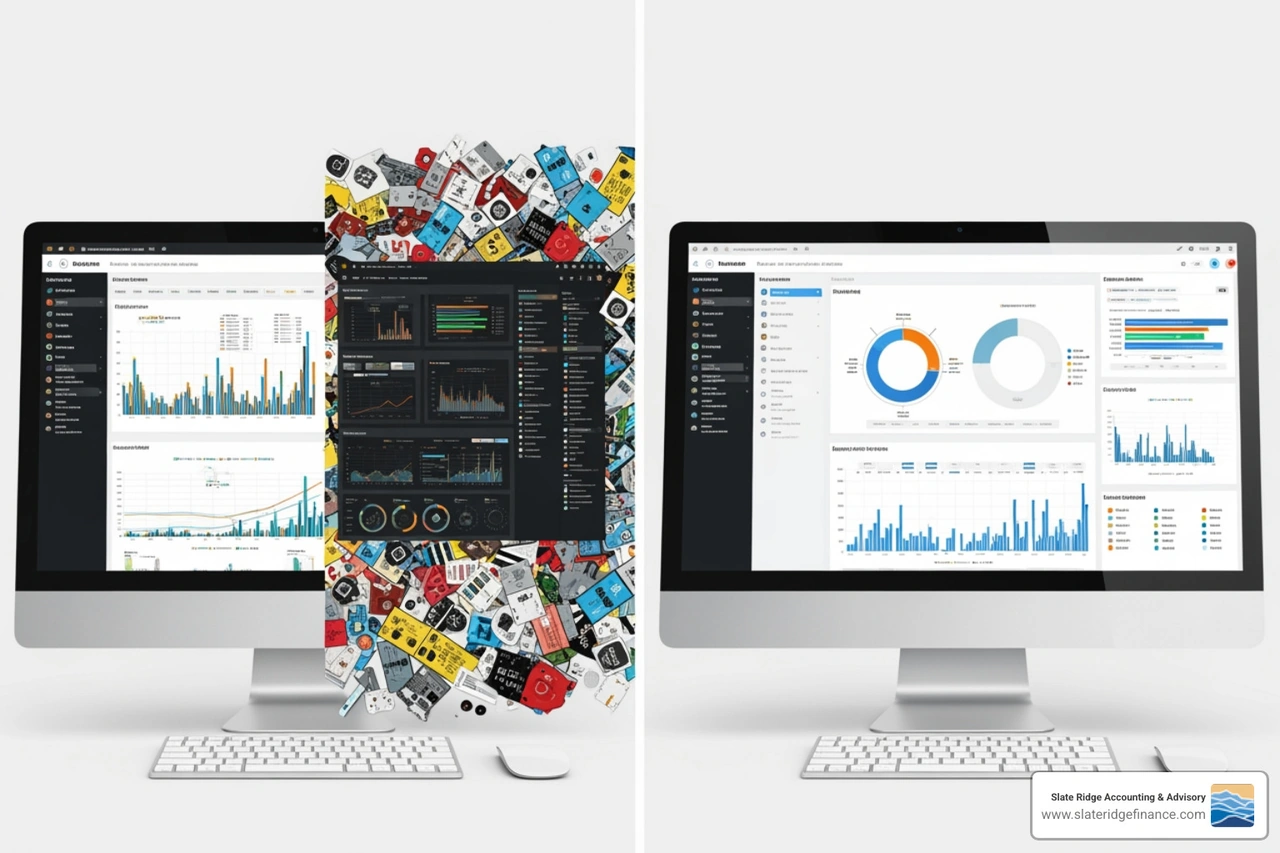
- Keep it Simple: Less is often more. Aim for a single screen with no more than nine views, and focus on the most critical KPIs. Avoid unnecessary clutter or gimmicky widgets that add no real value. The goal is clarity at a glance.
- Use Appropriate Chart Types: Choose visualizations that best represent your data and the story you want to tell. Line charts for trends, bar charts for comparisons, and scorecards for target tracking are usually safe bets. A pie chart, for example, might not be the best choice if you have too many categories.
- Provide Context with Comparisons: A number alone tells you very little. Is $10,000 in sales good or bad? You need context! Always include comparisons:
- Historical Data: How does this month compare to last month, or this quarter to the same quarter last year?
- Targets/Benchmarks: How does our performance stack up against our goals or industry averages?
- Trends: Show trends over time to indicate direction.
- Logical Layout: Organize your dashboard with a clear hierarchy. Place the most important KPIs at the top-left, where users naturally look first. Group related metrics together intuitively. Use white space to prevent visual overload.
- Use Color Strategically: Colors should guide the eye and convey meaning, not just add decoration. Use a consistent color scheme and leverage color to highlight performance status (e.g., green for positive, red for negative).
- Ensure Interactivity: As discussed, filters, slicers, and drill-down capabilities are essential. They empower users to explore the data themselves, answering their own follow-up questions without needing to request a new report.
Common Mistakes to Avoid
Even with the best intentions, it's easy to stumble during KPI dashboard setup. Here are some common pitfalls we help our clients steer clear of:
- Too Many KPIs: This is the cardinal sin of dashboards. When everything is important, nothing is. An overloaded dashboard leads to information overload and makes it impossible to focus on what truly matters. Stick to your 5-20 (or even 5-7 for a single dashboard view) critical metrics.
- Poor Data Quality: As we discussed, if your data is inaccurate, inconsistent, or incomplete, your dashboard will misinform you. Invest time in data cleansing and ensuring reliable data sources.
- Lack of Context: Displaying raw numbers without historical comparisons, targets, or benchmarks renders them almost useless. Always provide the necessary context for interpretation.
- Ignoring the Audience: Building a dashboard without considering who will use it and what their specific needs are is a common mistake. A sales manager needs different information than an executive.
- Choosing the Wrong Visualizations: Using a pie chart for 15 categories, or a bar chart to show trends over a year, can obscure insights rather than highlight them. Select chart types that effectively communicate the data's story.
- No Regular Reviews: Dashboards are not "set it and forget it" tools. Business goals evolve, and so should your dashboard. Regularly review your KPIs and dashboard design to ensure continued relevance and effectiveness. This also includes reviewing your business operations for areas of improvement, which ties into our work on Cost Reduction Strategies.
Essential Elements of Your KPI Dashboard Setup: Examples
Let's look at some practical examples of KPIs you might include in dashboards for different business functions, common in businesses across North Carolina:
Finance Dashboard: This dashboard provides a snapshot of your company's financial health.
- Gross Profit Margin: Measures the percentage of revenue left after deducting the cost of goods sold.
- Net Profit Margin: Shows the percentage of revenue left after all expenses, including taxes, have been deducted.
- Operating Cash Flow: Indicates the cash generated by your normal business operations.
- Working Capital: Measures short-term liquidity, showing if you have enough current assets to cover current liabilities.
- Example Use: Our cloud accounting services can seamlessly feed these metrics into your finance dashboard, giving you real-time insights into your profitability and liquidity.
Sales Dashboard: Focused on sales performance and pipeline.
- Sales Growth: Percentage increase in sales over a period.
- Average Deal Size: The average revenue generated per closed deal.
- Lead Conversion Rate: The percentage of leads that convert into customers.
- Customer Acquisition Cost (CAC): The total cost of acquiring a new customer.
- Example Use: A sales manager could use this dashboard to quickly identify if lead quality is declining or if specific sales reps are underperforming, allowing for immediate coaching.
Marketing Dashboard: Tracks the effectiveness of marketing efforts.
- Website Traffic: Number of visitors to your website.
- Conversion Rate: Percentage of website visitors who complete a desired action (e.g., making a purchase, filling out a form).
- Cost Per Lead (CPL): The cost incurred to generate one lead.
- Return on Ad Spend (ROAS): Revenue generated for every dollar spent on advertising.
- Example Use: A marketing team could use this to compare the ROAS of different campaigns, quickly reallocating budget to the most effective channels.
Frequently Asked Questions about KPI Dashboards
We hear a lot of questions about dashboards. Let's tackle some of the most common ones to further clarify your KPI dashboard setup journey.
How does a KPI dashboard differ from a KPI report?
This is a fantastic question, and one we encounter frequently. While both deal with data, their purpose and presentation are quite distinct:
| Feature | KPI Dashboard | KPI Report |
|---|---|---|
| Purpose | Quick overview, real-time monitoring, action-oriented | Detailed analysis, historical context, in-depth explanation |
| Format | Visual, interactive, at-a-glance, dynamic | Static, text-heavy, tabular, often printable |
| Frequency | Continuous, real-time, daily | Periodic (weekly, monthly, quarterly) |
| Audience | Executives, managers, teams (for quick insights) | Analysts, stakeholders (for deeper understanding) |
| Interactivity | High (filters, drill-downs, slicers) | Low or none |
Think of it this way: your dashboard is the speedometer, fuel gauge, and warning lights in your car—giving you immediate, actionable information. A report is the car's service manual, providing all the detailed diagnostics and historical maintenance records. For a more detailed explanation, Chartio has a great article on this.
What is the role of interactivity and drill-down capabilities?
Interactivity and drill-down capabilities are what make a dashboard a powerful analytical tool rather than just a pretty picture.
- Interactivity allows users to manipulate the data displayed. This means they can apply filters (e.g., view sales data only for North Carolina, or for a specific product line) or use slicers to segment information quickly. This empowers users to customize their view and focus on what's most relevant to them at any given moment.
- Drill-downs take interactivity a step further. They allow users to click on a high-level summary metric (like "Total Revenue") and instantly see the underlying, more granular data (like "Revenue by Customer Segment" or "Revenue by Product"). This capability is crucial because it enables users to move seamlessly from a high-level overview to the specific details that explain why a metric is performing a certain way, all without needing to generate a new report. It's like having an analyst built right into your dashboard!
How often should I update my KPI dashboard?
The update frequency of your KPI dashboard depends entirely on its purpose and the speed at which decisions need to be made based on its data.
- Operational Dashboards: These often require real-time or daily updates. For instance, a sales team tracking daily lead conversions or an e-commerce business monitoring website traffic needs immediate data to react quickly to opportunities or issues.
- Tactical Dashboards: Typically updated daily or weekly. A marketing manager tracking campaign performance might review their dashboard daily for micro-adjustments and weekly for broader tactical shifts.
- Strategic Dashboards: For executives monitoring long-term goals, updates might be sufficient on a weekly or monthly basis. Annual reviews are also crucial to ensure the KPIs themselves remain aligned with evolving business strategy.
The golden rule is to align your dashboard's update frequency with your decision-making cycles. If you make decisions monthly based on a KPI, then a monthly update is appropriate. If a KPI requires hourly attention, then your dashboard should reflect that. Additionally, we recommend a full review and potential overhaul of your entire dashboard system at least annually, and quarterly adjustments to metrics as your business objectives shift.
Transform Your Data into Decisions
The journey of KPI dashboard setup is a transformative one for any business. It moves you from being reactive to proactive, from guessing to knowing, and from drowning in data to swimming in insights. By following a structured approach—defining clear goals, ensuring data integrity, choosing the right tools, and designing for clarity and interactivity—you can build a powerful asset that drives informed decision-making and sustainable growth.
At Slate Ridge Accounting & Advisory, we understand that for small businesses in North Carolina, clear financial insights are the bedrock of success. Our expertise in modern accounting practices, financial reporting, and KPI tracking is designed to empower you with the data you need to thrive.
Ready to stop sifting through spreadsheets and start making smarter, faster decisions? Let us help you open up the power of your financial data. Get expert help with your financial data and KPI tracking with our virtual accounting services.
Ready to get started?
Book a free consultation today and let’s explore how Slate Ridge can support your business with expert accounting that’s accurate, timely, and built around your goals.
You Might Also Like
A few more posts we think you’ll enjoy on topics that matter to business owners like you.